Archicad alternatives in 2024: free & paid software apps
Sehen Sie, wie Revizto in Ihren Workflow passt
Archicad is a relatively popular BIM solution with a high level of specialization in the architectural design field. It is often revered as the first commercially available BIM solution ever. It offers plenty of interesting features, but it also has a number of notable shortcomings, which open up the topic of alternatives to Archicad. This topic is the primary target of our article about various BIM and CAD software applications as alternatives to Archicad.
What is Archicad?
Archicad is a well-known building information modeling solution that offers an exceptional feature set to many AEC professionals. It can help create, manage, document, and visualize all kinds of building projects, including both small and large examples.
Archicad was developed and distributed by Graphisoft, a multinational software company founded back in 1982. Since Archicad’s first version was introduced in 1987, it is often considered the first commercial BIM product for personal computers, as well as the first CAD solution capable of producing both 2D and 3D geometry in the same software.
The software offers extensive CAD and BIM capabilities, as well as extensive documentation, detailed visualization, and a convenient user interface. It supports multiple industry formats, including DWG, DXF, and even several open standards, such as IFC. Archicad is also part of the Open BIM initiative, promoting open standards for BIM models to facilitate collaboration in the construction industry.
Archicad’s parametric modeling capabilities revolve around Geometric Description Language objects, which are extremely useful for creating custom products or elements to be used in a BIM model. Additionally, the solution supports multiple forms of VR/AR integration, providing the ability to create immersive visual experiences for stakeholder engagement or client presentations.
Features of Archicad
- Parametric custom profiles are available for any of the building elements inside Archicad, making it possible to generate complex, customizable objects or shapes when necessary, significantly expanding the software’s capabilities from a designer’s standpoint.
- Priority-based connections make it easier to form-fit different elements of a structure to one another with no overlap or unnecessary gaps. This is a great feature that drastically reduces the necessity of manual adjustment for each object in a BIM model.
- Integrated energy evaluation drastically simplifies the process of conducting an energy performance assessment for different iterations of a project design. It is fast and detailed, calculating heating, lighting, cooling, and multiple other factors necessary for creating energy-efficient structures.
- The addition of BIMcloud in Archicad Collaborate dramatically improves the speed of simultaneous collaboration within the same model, with real-time updates in order to ensure that all project participants have access to the most recent model available.
- Graphisoft BIMx is a unique feature of Archicad that provides the ability to explore BIM models in a game-like environment that is fully interactive, making for extremely satisfying client presentations and design reviews even without the use of VR/AR technologies.
- The Morph tool offers complete freedom when it comes to creating unconventional shapes and objects. It is a great tool for conceptual design and other parts of the initial design phase.
Archicad offers its users plenty of interesting and unique capabilities, and it has earned its reputation as one of the most popular BIM solutions on the market.
Archicad’s licensing model
Archicad’s licensing model is simple enough. Technically speaking, there are three pricing plans to choose from, although all three of them include Archicad’s complete feature set:
- Archicad is the name of the basic subscription version. It starts at $225 per month (before tax) and offers the entire CAD/BIM feature set of the software.
- Archicad Solo is the version of the software that caters to individual users. It starts at $200 per month (before tax) and lacks most of the collaboration and sharing-related features of the original Archicad.
- Archicad Collaborate provides the complete feature set of Archicad in combination with BIMcloud, Graphisoft’s cloud-centric solution, which significantly expands Archicad’s set of collaborative features. This pricing tier starts at $225 per month (before tax).
Reasons to look for an alternative to Archicad
Unfortunately, Archicad is far from perfect. For example, its object library is very basic and offers practically no customization options. Additionally, layout drawing updates take a long time to implement, and the 2D drawing feature set is very bare-bones (considering how the entire solution was built to work with 3D models in the first place).
Luckily, many alternatives to Archicad can be found on the CAD and BIM markets, including free and paid versions. The CAD software market is vast and competitive, and the same could be said for the BIM software market, with plenty of overlap between the two.
Methodology for evaluating Archicad alternatives
This article attempts to include a moderately large selection of different solutions that may be alternatives or competitors to Archicad. Our goal is to provide enough information about each alternative to provide an understanding of why it should be considered in certain situations.
To make matters easier, we have devised a methodology to follow for the comparison process. This methodology should prove sufficient when it comes to offering multiple categories of data on topics such as:
- Customer ratings
- Key features, benefits, and disadvantages
- Pricing models
- Personal opinion of the author
Customer ratings
Both the B2B and B2C markets value genuine user reviews well above structured corporate advertisements. As such, demand for user reviews exists in both fields, with entire platforms dedicated to nothing but user reviews. Customer ratings are one part of these reviews. They are an attempt to give a numerical value to different aspects of a software’s capabilities.
Resources such as G2, TrustRadius, and Capterra excel in gathering and showcasing user reviews of specific solutions. These three platforms have been used as our primary sources of customer ratings, since they all have noteworthy reputations with hundreds of thousands of user reviews, as well as dedicated review verification processes and several other features to ensure that each user is genuine and that the product owner cannot remove unfavorable reviews in any way.
This is not the only use case for reviews in the evaluation of software, since we can also use them to understand the various benefits and shortcomings, as explained below.
Key features, benefits, and disadvantages
While many solutions present lists of their key features as official information, it can be difficult to determine the real-life benefits and disadvantages of a solution without trying to use it for an extended period of time. Since that is not an option for us, we can use user reviews as a source of the advantages and shortcomings that real, verified users have had with specific software. For any benefits or disadvantages to appear in our article, they must be repeated multiple times in different reviews to avoid false alarms or other situations.
The key features of a solution, on the other hand, may be used when a company does not have enough of a presence to gather user reviews. In these cases, the key features are used as a means of providing at least some information about the software’s capabilities, even if it does come from official sources in most cases.
Pricing models
A solution’s pricing model and the total cost of implementation are both substantial factors when it comes to purchasing decisions. All smaller and medium-sized businesses work on a budget when it comes to software, even something as crucial as CAD/BIM. Most large enterprises also have some sort of hard cap on how much a single piece of software can cost. As such, it is important to cover the topic of pricing in as much detail as possible.
At the same time, B2B solutions tend to completely hide their pricing information from the public, citing a high degree of personalization as the primary reason. As such, we cannot always offer the same volume of pricing and licensing information due to the lack of such information in public, which is outside of our control.
Personal opinion
The last element of our methodology is the personal opinion of the author. It was added to provide a completely subjective opinion on the topic of each solution, serving as a contrast to information that can be considered objective, such as feature lists, pricing models, etc. In many cases, the personal opinion of the author also offers information that is not mentioned earlier, such as an interesting fact about the software’s feature list or a relatively small benefit of sorts that is not otherwise covered. As such, the primary goal of this section is to offer a new perspective on the software, combined with the opinion of an industry expert when it comes to specific software.
Paid alternatives to Archicad in 2024
The fact that a solution called Archicad is presented primarily as BIM software may be somewhat confusing to a certain part of the user base. Nevertheless, there are multiple examples of both CAD and BIM software applications that can be considered alternatives to Archicad in some way. In this article, we start with the most notable paid Archicad alternatives:
- MicroStation
- Revit
- Rhinoceros
- Vectorworks Architect
- Chief Architect
- Bluebeam Revu
- AutoCAD
- Allplan
- Solid Edge
MicroStation
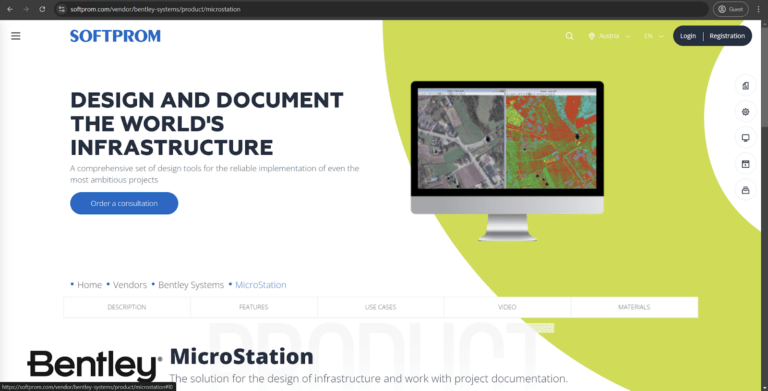
MicroStation is a CAD solution from Bentley Systems that is widely known in the AEC industry. The solution was purpose-built to handle large and complex projects with 3D modeling and 2D drafting capabilities used on a regular basis. It offers a combination of versatility and precision for many engineering projects, and it can also serve as a viable Archicad alternative in certain situations.
MicroStation excels in handling civil engineering projects such as railways, bridges, roads, and other projects that involve infrastructure design. Its 2D drafting capabilities are also exceptional, offering a lot of control over the drawing process in all of its iterations. It is one of the few solutions on this list that works better with large-scale projects than Archicad, and the integration capabilities of Bentley’s software are also impressive, with support for other Bentley products (OpenRail, OpenBuildings, OpenRoads, etc.).
However, Microstation is not a complete BIM solution at its core, with drastically reduced capabilities in data sharing and collaboration, among other disadvantages. Bentley’s software is also known for being somewhat difficult to learn, with a notably steep learning curve for most new users.
Both software applications have extensive 3D modeling capabilities, along with noteworthy interoperability and the ability to produce specialized construction documentation with little effort.
Customer ratings:
Capterra – 4.4/5 points based on 173 user reviews
TrustRadius – 8.6/10 points based on 23 user reviews
G2 – 4.0/5 points based on 299 user reviews
Advantages:
- The process of integrating new elements and components into an existing project is mostly painless.
- The solution’s hardware requirements are moderately low.
- Support for a wide selection of project format types, including IFC, DGN, DXF, DWG, etc.
Shortcomings:
- Working with large or complex projects in MicroStation can be challenging, with a noticeable amount of lag and slowdowns.
- The built-in rendering engine shows subpar quality and accuracy.
Pricing model (at the time of writing):
MicroStation’s pricing model is simple and straightforward.
There is only one licensing option. It costs €2,702 and lasts 12 months.
The license offers the entire feature set of MicroStation, including data centralization, extensive modeling, and more.
The package also includes three training credits for Virtuosity, a training platform that exists to simplify the onboarding process for new customers.
My personal opinion about MicroStation:
MicroStation works well as an alternative to Archicad in the field of civil engineering or infrastructure-related projects. It excels in precision and large-scale modeling, but it does not offer any BIM capabilities and can be somewhat difficult to learn. The solution from Bentley Systems is not as case-specific for the architecture design industry as Archicad, which is also a significant disadvantage. On the other hand, the pricing model for MicroStation is straightforward enough, and its built-in engine still offers decent visualizations of projects and models, even if the quality of these visualizations is not the best option for stakeholders or other types of presentation.
Revit
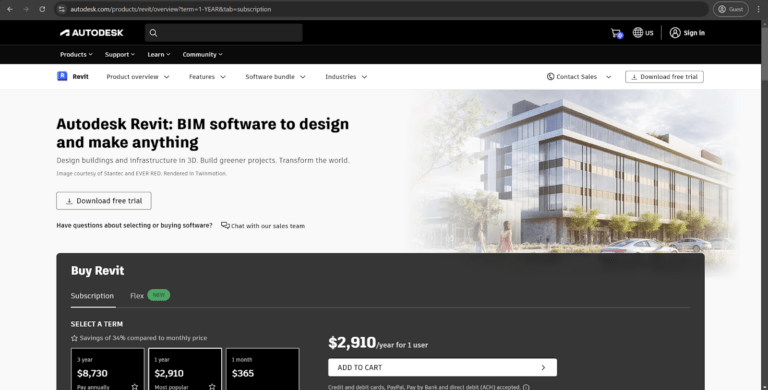
Revit from Autodesk is a popular BIM solution with multiple advantages. It is often considered the de-facto standard when it comes to industry file formats, even though there are several initiatives to popularize completely neutral file formats such as IFC.
Revit is an exceptional solution for multidisciplinary projects, with the ability to provide detailed construction documentation, extensive MEP systems, and in-depth structural analysis. It is also part of the broader Autodesk infrastructure, making it easy to integrate other Autodesk solutions for better interoperability. The overarching popularity of Revit also makes it significantly easier to find professionals and resources for specific use cases.
At the same, Revit does not work on macOS devices natively and may not be as intuitive when it comes to the field of architectural design. Archicad is also far more flexible, with intricate custom objects, and offers interactive, game-like 3D walkthroughs, a unique feature that most competitors cannot replicate without the introduction of VR/AR devices.
Revit is also known for being extremely expensive and targeting mostly large-scale projects. Its learning curve is also very steep for most new users. Both solutions are capable of parametric design, built-in rendering, collaboration, and interoperability, and both have sizable user bases.
Customer ratings:
- Capterra – 4.6/5 points based on 436 user reviews
- TrustRadius – 8.9/10 points based on 217 user reviews
- G2 – 4.6/5 points based on 870 user reviews
Advantages:
- Outstanding feature set with numerous capabilities in both 3D modeling and BIM.
- Extensive interoperability is made possible by easy integration with other Autodesk solutions.
- Revit offers CAD and BIM capabilities in the same software, which is a somewhat uncommon combination on the market (most BIM solutions have either a basic 3D modeling feature set or no 3D modeling capabilities at all).
Shortcomings:
- Automation capabilities are basic and cannot be used to automate most menial and time-consuming tasks.
- Revit’s learning curve is notoriously steep, and it is known as a very challenging solution for newcomers and professionals alike.
- Extraordinary hardware requirements force most users to upgrade their current hardware or purchase a new system altogether, significantly increasing the total cost of ownership.
Pricing model (at the time of writing):
- Revit uses a pricing model that has become a standard for most Autodesk solutions.
- The software is available for a subscription fee that can be paid for different time periods in advance:
- 1 Month – $365
- 1 Year – $2,910
- 3 Years – $8,730
- It is also possible to purchase Revit on a “pay-as-you-go” basis using the Autodesk Flex program. Revit’s cost in this program is 10 tokens per day, and these tokens can be purchased in at least two different bundles:
- 100 tokens for $300
- 500 tokens for $1,500
- Purchasing custom amounts of tokens (more than 500) is also an option.
My personal opinion about Revit:
As a comprehensive BIM solution with strong 3D modeling capabilities, Revit can easily serve as a noteworthy alternative to Archicad, especially on large and complex projects that require interdisciplinary collaboration and complex design choices. It is a feature-rich solution with a large number of capabilities and functions to choose from, but it can be very expensive and difficult to master, which makes it somewhat unjustified for anyone other than large-scale businesses and enterprises. In this case, Archicad still excels on smaller projects with a bigger emphasis on design, and it is also far more accessible when it comes to user interface and the user experience.
Rhinoceros

Rhinoceros (Rhino) from Robert McNeel & Associates is a popular 3D CAD software application with high levels of popularity in architecture, industrial design, jewelry design, rapid prototyping, CAD/CAM, and several other industries. It can be a viable alternative to Archicad in specific areas, while it cannot keep up in other aspects.
Rhinoceros is a 3D CAD modeling solution with a unique Non-Uniform Rational B-Splines system (or NURBS), which allows for the creation of highly customized and precise freeform objects, offering incredible versatility for non-standard modeling tasks. This versatility is expanded even further with Rhino’s extensive ecosystem of plugins, making it possible to adapt the solution for a very specific range of tasks or workflows. The software’s accuracy is unprecedented, and its integration with a wide variety of other industry software and hardware makes it a great choice for various multidisciplinary projects.
At the same time, Rhino is not a BIM solution at all, which makes it difficult to use for various collaboration-oriented tasks, as well as data centralization and the generation of construction documentation. Rhino is multifunctional software first and foremost, which does make its base capabilities in the field of architectural design slightly less impressive than what Archicad offers.
Both solutions still offer extensive 3D modeling capabilities, along with a certain degree of integration with other solutions and a high level of customization through scripting and other means.
Customer ratings:
- Capterra – 4.6/5 points based on 89 user reviews
- TrustRadius – 8.8/10 points based on 47 user reviews
- G2 – 4.4/5 points based on 183 user reviews
Advantages:
- Perpetual licensing is practically not an option in the modeling software market today, so Rhino stands out a lot in this regard.
- Most of the basic 3D modeling capabilities are not particularly difficult to understand for newcomers.
- Alternatively, there is a large selection of advanced capabilities for 2D drafting and 3D modeling in many different ways, providing plenty of versatility to the end user with enough skills.
Shortcomings:
- Rhino’s built-in rendering engine is somewhat problematic and does not offer more than passable rendering quality in most cases.
- Plenty of lag and slowdown issues are noticed when working with large and complex models.
- Rhinoceros is updated on a regular basis, but its user interface has not been modified in any way for a long time, making it look outdated when compared with most modern software.
Pricing model (at the time of writing):
- Rhinoceros is sold using perpetual licenses with no upkeep subscription fees.
- A single license costs $995 per user for the Mac or Windows version.
- Older versions of Rhino can be updated for a reduced fee of $595 per license.
My personal opinion about Rhino:
Rhinoceros can be a viable alternative to Archicad in tasks that revolve around flexible modeling with high precision. Its NURBS system makes the creation of uncommon shapes and objects a lot easier than usual. However, Rhino does lack most BIM capabilities, which makes it a much more case-specific option in this comparison, and the absence of focus on architectural design also strips away part of its potential user base. Rhino’s interface is also somewhat outdated, and its built-in rendering engine is not even close to the capabilities of some of its competitors.