Vous cherchez une alternative à Autodesk BIM 360 Glue ? Voici ce que les équipes AECO choisissent à la place
Intégrez Revizto à votre flux de travail
Avec le retrait d'Autodesk BIM 360 Glue le 31 juillet 2026, sa migration forcée vers Autodesk Construction Cloud amène de nombreuses équipes à remettre en question leur enfermement dans l'écosystème. Si vous évaluez vos prochaines étapes, voici ce qu'il faut rechercher dans une alternative à Glue et pourquoi les équipes AECO se tournent vers Revizto.
Autodesk BIM 360 Glue defined a generation of BIM model coordination. For years, it gave architecture, engineering, and construction teams a central place to merge multi-discipline models, identify clashes, and collaborate from the field. It was not perfect, but it was focused and for many teams, it worked.
The landscape has changed. Autodesk is no longer developing or improving BIM 360 Glue, and the Glue add-in is no longer supported for Revit 2025 or newer. Autodesk's investment and development focus has shifted entirely to Autodesk Construction Cloud, with BIM 360 Glue set to be fully shut down on July 31, 2026. Teams that built workflows around BIM 360 Glue are now facing an inevitable decision: stay on a frozen platform, migrate into a larger ecosystem they did not ask for, or find a better independent alternative.
This article walks through what made BIM 360 Glue valuable, what a real replacement looks like, and why project teams worldwide are choosing Revizto as their alternative.
What Autodesk BIM 360 Glue was and why teams relied on it
Autodesk acquired BIM 360 Glue in 2011 through its purchase of Horizontal Systems. At the time, it was a genuinely pioneering product. Its creators described it as the only technology where clash detection, scheduling, and RFIs could all occur within the same live model on the web. Construction teams could aggregate Revit, AutoCAD, and Navisworks models into a single merged model in the cloud, navigate them in 3D, and access project data remotely from mobile devices.
In practice, BIM 360 Glue was used primarily as a cloud federation tool, serving as a conduit that enabled designers, BIM coordinators, and subcontractors to easily upload Navisworks (NWD/NWC) and Revit (RVT) files into the BIM 360 environment. The closest modern parallel is how Revizto works with its native plugins and scheduler, where teams push updated models directly into a central cloud project on a set cadence. The majority of BIM and VDC professionals who relied on Glue rarely, if ever, used its interface for active coordination or clash detection. Those workflows typically remained in Navisworks or other desktop tools.
The BIM 360 Glue field viewer did see genuine use and served site teams well within its scope. Its features were limited, but market demand for Revizto-like field capabilities such as issue creation, offline sync, and AR model comparison was low at the time. For many field teams, BIM 360 Glue was a fine solution for what they needed it to do.
Where GLUE started to fall short
BIM 360 Glue was never designed to be a full coordination platform. While it included basic clash detection, advanced clash workflows still required Navisworks, and clash results could not be shared between the two tools without workarounds, forcing teams to run parallel coordination efforts. There was no integrated 2D sheet environment. Issue tracking was limited to clashes, leaving design intent discussions, code compliance issues, and other issue types unsupported. And as Autodesk pivoted its strategy toward Autodesk Construction Cloud, BIM 360 Glue received no new features and no meaningful development investment.
Today, the BIM 360 Glue add-in is only supported up to Revit 2024. Teams upgrading to Revit 2025 or newer have no plugin path back into BIM 360 Glue. The platform has a confirmed retirement date of July 31, 2026, making the migration decision no longer optional.
Autodesk BIM 360 Glue's real legacy is strategic rather than technical. It served as the 'glue' that enabled BIM 360 to support BIM and VDC workflows, albeit crudely and not always as originally intended, but effectively enough that the market built processes around it. In doing so, BIM 360 Glue directly influenced Autodesk's decision to move to a more cohesive, integrated system in Autodesk Construction Cloud. The platform's own retirement is, in part, evidence of the role it played in shaping what came next.
It is also worth acknowledging the current market reality. Autodesk has most likely already transitioned a very large portion of its BIM 360 Glue user base onto ACC. The teams still running active BIM 360 Glue workflows today represent a smaller segment of the market, and they tend to be large, long-term projects. For these teams, the retirement deadline is not a distant concern. It is an imminent and very real problem if a solution is not already in place. Model migration at scale is inherently risky, and Revizto is a particularly attractive and safer path forward precisely because it absorbs existing workflows, file formats, and coordination history without forcing a disruptive rebuild.
What to look for in an Autodesk BIM 360 Glue replacement
Not every BIM coordination tool is built the same way. Before committing to a BIM 360 Glue replacement, project teams should evaluate five core capabilities. These are the areas where BIM 360 Glue's limitations were most visible, and where the right alternative should be clearly stronger.
1. A unified 2D and 3D environment
BIM 360 Glue was built as a 3D-only platform. Modern coordination requires teams to reference 2D drawings and 3D models simultaneously, overlaying sheets on models, cutting sections to explore spatial conflicts, and pinning issues to precise locations in both dimensions. A genuine BIM 360 Glue replacement must unify 2D and 3D in a single workspace.
2. Automated clash detection: built in, not bolted on
BIM 360 Glue included only basic clash detection, and advanced clash workflows still required Navisworks, with results that could not flow back into the coordination environment without manual workarounds. A proper alternative embeds clash detection natively, allowing teams to run tests, group results, route issues to the right stakeholder, and track resolution without ever leaving the coordination environment.
3. Purpose-built issue tracking
Coordination without accountability is noise. A BIM 360 Glue replacement must include structured issue tracking that links directly to the 3D object or 2D location it references, captures chat history and attachments, and maintains a full auditable trail across the project lifecycle.
4. Full mobile and field access
Field teams need more than a read-only viewer. A modern BIM 360 Glue replacement requires iOS and Android apps that support full issue creation, not just browsing, with offline capability for sites with poor connectivity and cloud auto-sync when the connection returns.
5. Open integrations that protect your existing workflow
The right BIM 360 Glue replacement should connect to Revit, Navisworks, Procore, Solibri, and the other tools already embedded in your workflow. Switching coordination platforms should not mean rebuilding your entire tech stack.
For teams still running BIM 360 Glue on active projects, one additional criterion deserves emphasis: migration risk. Model migration at scale is inherently risky, and a platform that natively supports the same file formats BIM 360 Glue workflows produce, including RVT, NWD, NWC, and IFC, significantly reduces that risk. For large, long-term projects, this is where Revizto stands out as a particularly attractive and safer solution.
Why Revizto is the leading BIM 360 Glue alternative
Revizto is an Integrated Collaboration Hub purpose-built for the AECO industry. It combines 3D model coordination, 2D document management, Collaborative Clash Automation, and Integrated Issue Management into a single environment trusted by over 100,000 AECO professionals across 150 countries.
Here is how Revizto addresses every gap that BIM 360 Glue left behind.
Unified 2D/3D Environment
Unlike BIM 360 Glue's 3D-only model, Revizto's Unified 2D/3D Environment brings 2D drawings and 3D models into a single interactive workspace that is accessible online, offline, in the office, and on site. The Splitview feature displays 2D and 3D side by side with linked locations, so an issue pinned on a floor plan is instantly visible in the corresponding model position. The 2D Overlay feature superimposes drawings and point clouds directly onto 3D models, with automatic spatial alignment for Revit-exported sheets and manual calibration available for imported PDFs.
Users can navigate instantly between any point in the model and the corresponding 2D drawing. That speed and visual continuity is something BIM 360 Glue never offered.
Collaborative Clash Automation
Revizto's Collaborative Clash Automation is the full-cycle clash management engine that replaces the manual BIM 360 Glue-to-Navisworks-and-back workflow. Teams can run clash tests, group results with Dynamic Groupings, filter by stakeholder, and convert clashes directly to assigned issues, all inside the same platform. Advanced Automations allow teams to schedule model imports and clash runs overnight, so coordination runs while the team sleeps.
Clashes from Navisworks can also be imported directly into Revizto's Issue Tracker, so teams that already have Navisworks in their workflow do not have to abandon it. They simply consolidate everything in one place.
For teams familiar with how BIM 360 Glue's federation worked, specifically a native plugin for Revit or Navisworks and a scheduler to push updated models to the cloud project, Revizto's publish workflow follows the same logic. Revizto plugins for Revit, Navisworks, and other authoring tools publish models directly into a Revizto project, and the Advanced Automations scheduler can be configured to run model imports and clash tests on a set cadence. The difference is what happens next: where BIM 360 Glue stopped at federation, Revizto continues into full clash automation, issue management, and field coordination.
Integrated Issue Management
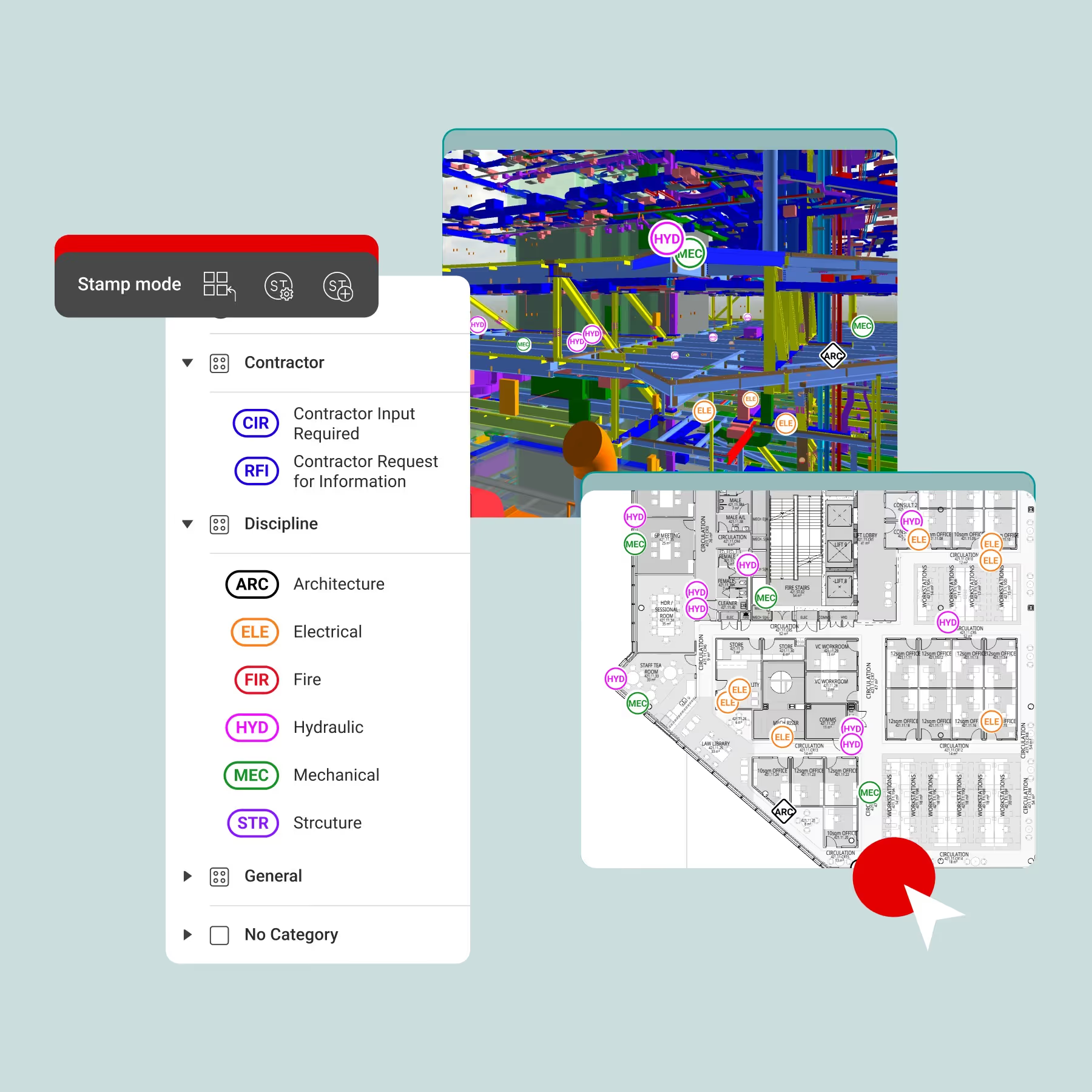
Every issue in Revizto is created directly on the 2D drawing or 3D model, complete with chat history, attachments, status workflows, and a full auditable trail. 2D/3D Markups, Location Data, Stamps and Issue Workflows, and Issue Automations give teams the structure to manage coordination from design through handover on any device.
Connected Project Intelligence
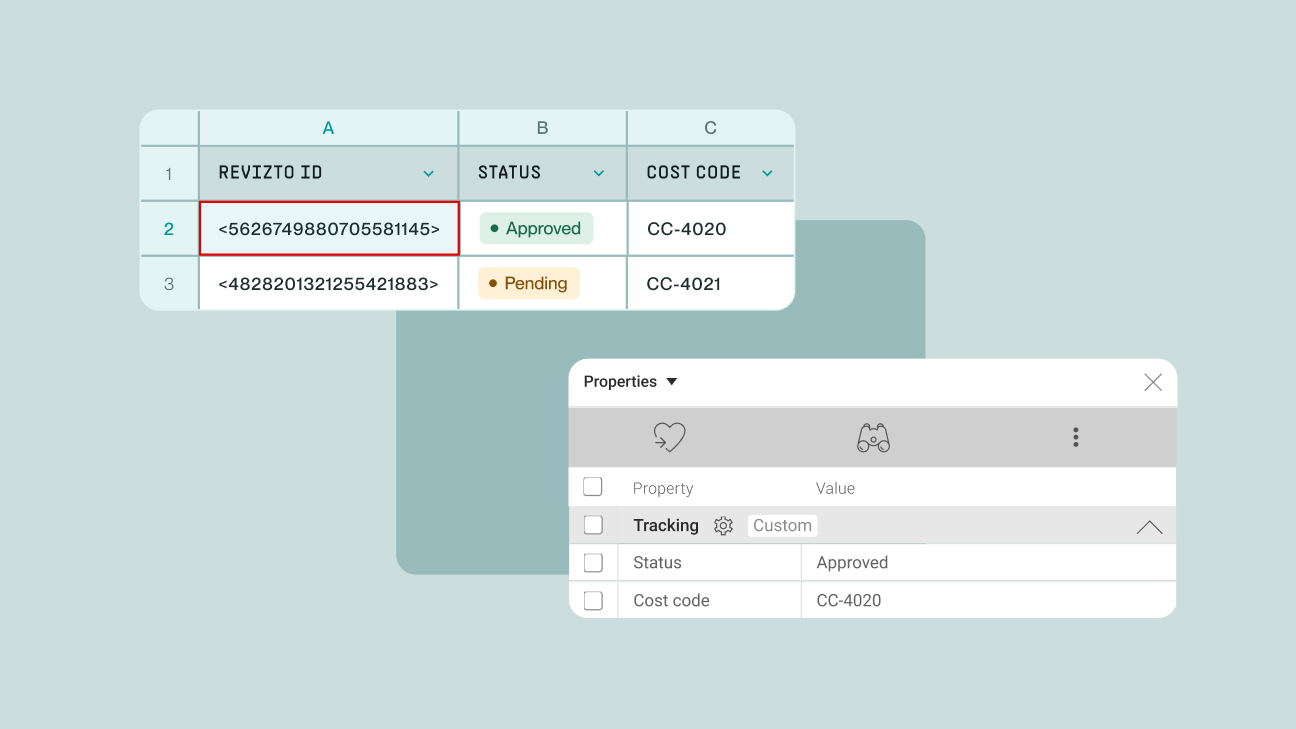
Revizto's Connected Project Intelligence provides interactive dashboards and reports that turn issue data into actionable insight, shareable with any stakeholder, even those without a Revizto account. Model Data Extraction and API Integrations connect Revizto's data to business intelligence tools, CDEs, and quality assurance systems, ensuring the coordination platform becomes a live data source for the wider organization.
Mobile-first field collaboration
Revizto's mobile app for iOS and Android supports the full suite of coordination capabilities in the field: explore projects in 3D and 2D, create and manage issues, use AR to compare real-world installations against 3D models, scan QR codes to jump directly to specific issues or 3D objects, and view point cloud data. Offline capability with cloud auto-sync ensures field teams stay connected even in low-connectivity environments.
VR and immersive review
BIM 360 Glue had no virtual reality support. Revizto supports native VR through Meta Quest, HTC Vive, and Valve Index headsets. Through its integration with Resolve, teams can view all Revizto-tracked issues inside collaborative VR and web apps, teleporting to issue locations in full model context for multi-user design reviews, wirelessly on Meta Quest without any PC setup required.
Infrastructure and civil support
BIM 360 Glue was primarily designed for vertical construction. Revizto extends full coordination capabilities to infrastructure projects by enabling teams to import alignment and chainage line data, visualize 3D road lines and cut sections, and apply the same issue tracking discipline to civil and transportation projects.
Best-in-class data security and sovereignty
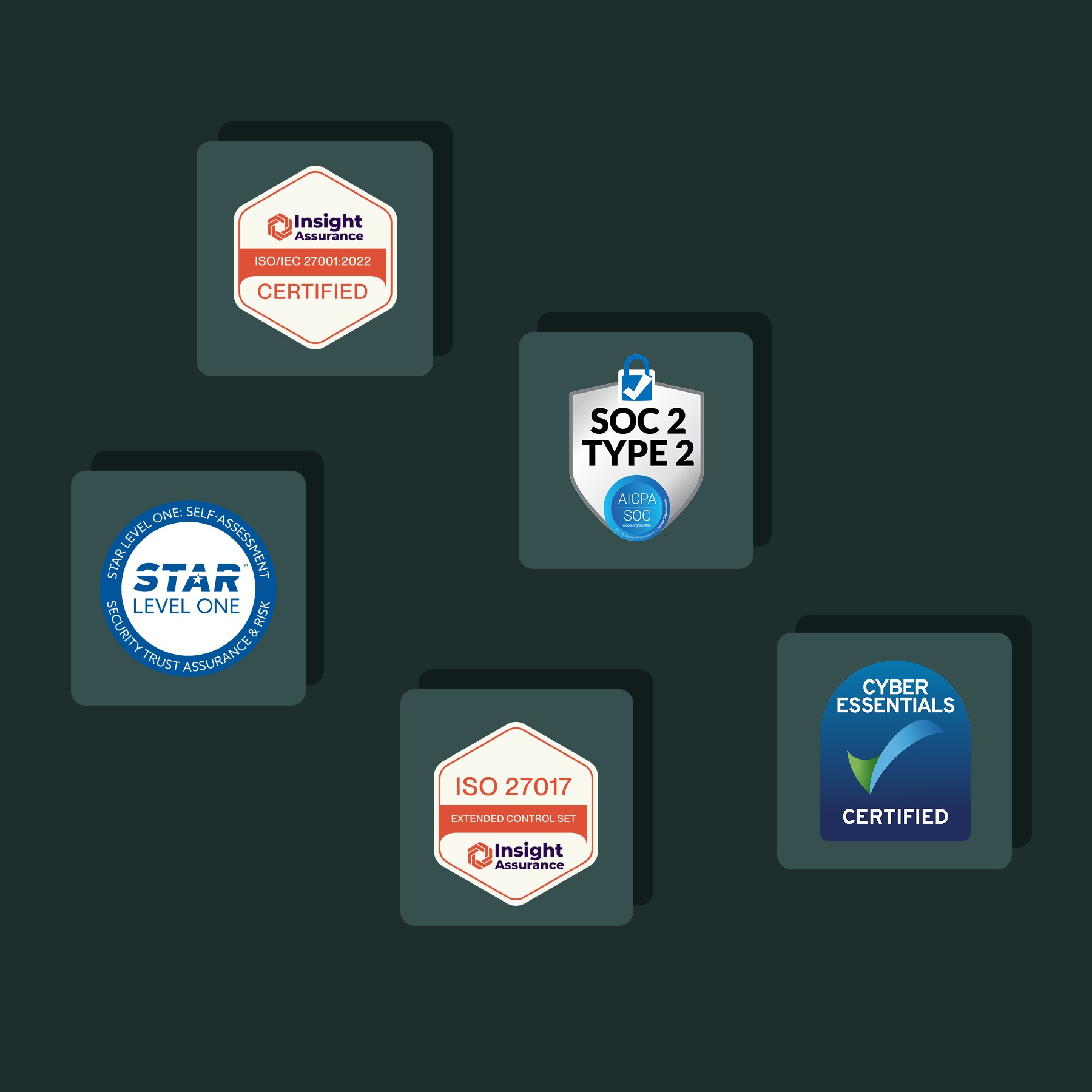
For organizations in regulated industries such as government, defense, and critical infrastructure, data sovereignty is not optional. Revizto's Local Data Hosting allows project data to be stored on servers in the region the client requires. Revizto holds ISO 27001, ISO 27017, SOC 2 Type 2, CSA Star Level 1, UK Cyber Essentials, and Secure by Design (SbD) First Line Assessment certifications.
Ecosystem integrations: bring your own workflow
Revizto integrates with the tools AECO teams already use. Supported file formats include RVT, NWD, NWC, IFC, DWG, FBX, glTF, BCF, LAS, and more. Native plugins are available for Revit, ArchiCAD, AutoCAD, Civil 3D, Navisworks, Tekla, SketchUp, MicroStation, OpenBuildings, and OpenRoads. CDE integrations cover Asite, Autodesk Construction Cloud, Box, Procore, and SharePoint.
The Procore integration is particularly powerful: Revizto issues can be sent directly into the Procore Coordination tool and elevated to RFIs from there, connecting coordination findings to formal construction documentation in a few clicks rather than manual re-entry.
Who is Revizto built for?
Revizto serves the full AECO project team, not just BIM specialists. Whether you are an architect reviewing design intent, a contractor coordinating trades on site, or an owner tracking delivery milestones, Revizto gives everyone the visibility they need.
- Architects and engineers: review models and manage RFIs in context
- BIM coordinators: run automated clash detection and manage resolution workflows
- Contractors and subcontractors: track and resolve issues from the field on mobile devices
- Project managers: monitor progress with live dashboards and reports
- Owners: gain full project visibility without needing model expertise
Autodesk GLUE vs. Revizto: side-by-side comparison
The table below summarizes the key capability differences between Autodesk BIM 360 Glue and Revizto for teams evaluating a migration path.
The business case: why coordination quality pays
The investment in a proper BIM 360 Glue replacement is not just a technology decision. It is a project risk decision. Industry data consistently shows that BIM coordination quality has a direct and measurable impact on project outcomes.
A comprehensive study published in Construction Management and Economics found that clash detection methodology on a multi-million-dollar infrastructure project produced estimated savings of 20% of contract value. A separate case study by Haskell on a $230 million design-build food project in California showed that a $200,000 investment in BIM coordination translated into over $2.5 million in cost and time savings, representing a return of more than 10x.
Where the ROI comes from
- Reduced rework: identifying conflicts during the design phase prevents costly on-site rework and material waste
- Faster coordination cycles: automated clash detection and in-platform issue routing eliminate slow manual multi-tool workflows
- Improved accountability: structured issue tracking with auditable trails ensures every conflict has an owner, a resolution path, and a documented outcome
- Better collaboration: regular coordination reviews in a shared visual environment foster communication that email chains and disconnected tools cannot replicate
For teams still running GLUE or evaluating a first coordination platform, the question is not whether coordination quality pays. The evidence is clear. The question is whether your current platform is capable of delivering it.
For the teams most likely reading this article, those still on active BIM 360 Glue projects facing the July 2026 deadline, the stakes are straightforward. These projects are facing a very real problem if a solution is not already in place. Model migration is inherently risky, and the closer the retirement date gets, the less room there is for a considered, well-planned transition. Revizto is a particularly attractive and safer solution for these teams precisely because it mirrors the federation workflow BIM 360 Glue users already know, supports the same file formats, and does not require rebuilding existing processes from scratch.
Migrating from Autodesk GLUE to Revizto: what to expect
Migrating from Autodesk BIM 360 Glue to Revizto is a manageable transition for most teams. The platform natively supports the file formats used in Glue workflows, including RVT, NWD, NWC, DWG, and IFC, removing the need for format conversion in most cases. Revizto's implementation team and global partner network are available to support teams through the process.
Model migration
Existing Revit, Navisworks, and IFC models can be imported directly into Revizto. Supported formats include RVT, NWD, NWC, IFC, DWG, FBX, glTF, BCF, LAS, and PDF, covering the full range of file types that BIM 360 Glue workflows typically produce.
For large, long-term projects still on BIM 360 Glue, Revizto's publish workflow follows the same logic teams already know: models are published from native tools such as Revit and Navisworks directly into Revizto via plugin, on a scheduler cadence, with no intermediate format conversion required for the most common file types. Teams do not need to re-export or reprocess their existing model library. The publish workflow they have always used points to a new, more capable destination.
Issue and clash history
Existing Navisworks clash results can be synced directly into Revizto's Issue Tracker, with each clash group becoming a tracked and assignable issue. Teams can transfer their active coordination work into Revizto without starting from scratch.
User onboarding
Revizto is designed for adoption across technical and non-technical stakeholders. Project managers, owners, and field personnel can navigate the platform effectively without BIM expertise. The Revizto Academy provides free, self-directed training and certifications across three levels, from Collaboration Core through to Implementation Expert, to accelerate onboarding at every level of the organization.
Integrations
Existing Procore, Autodesk, and third-party tool connections can typically be replicated or improved through Revizto's native integration library. The transition does not require rebuilding your technology ecosystem.
Implementation approach
Start with a pilot project rather than a full portfolio migration. Use the pilot to establish Revizto naming conventions, issue workflow configurations, and permission structures before scaling across the organization. Revizto's team and partner network can assist with data migration strategies and pilot setup to ensure continuity of project history.
Other tools worth knowing about
Revizto is a comprehensive Autodesk BIM 360 Glue alternative for teams that need end-to-end coordination in a single platform. But the broader landscape includes tools that address specific parts of the coordination workflow, and some teams use them alongside Revizto.
Autodesk Construction Cloud: Forma Design Collaboration (formerly BIM Collaborate Pro)
Autodesk's own successor platform for teams already embedded in the Autodesk ecosystem. Now branded as Forma Design Collaboration (formerly BIM Collaborate Pro), it offers model coordination capabilities and shares the same Autodesk account structure as existing BIM 360 subscriptions. For teams that want to stay within the Autodesk universe, it is the natural migration path, though it represents a significant licensing restructure and workflow change for most existing BIM 360 Glue users, and it does not offer the data sovereignty options that regulated-industry teams often require.
BIM 360 Glue played a meaningful role in shaping what ACC became. By enabling BIM and VDC workflows within the BIM 360 environment, albeit crudely and not always as originally intended, it gave Autodesk direct evidence of what a more cohesive, integrated coordination system needed to deliver. ACC is the result of that learning.
Navisworks Manage
Navisworks Manage has long been the go-to desktop tool for advanced clash detection and construction simulation among specialist VDC teams. The Navisworks Clash Sync integration allows teams already using Navisworks to import clash results directly into Revizto's Issue Tracker, making Revizto a natural coordination layer on top of existing desktop workflows. As of June 2025, standalone Navisworks Manage licenses include access to Autodesk Docs, Model Coordination, and Design Collaboration, though it remains a desktop-first tool without the unified 2D/3D field collaboration, mobile issue creation, or project intelligence dashboards that a dedicated coordination platform provides.
Solibri Model Checker
Solibri is a model quality assurance and rule-based compliance checking tool used in some AECO workflows. Solibri-generated results can be exported as BCF and imported into Revizto's Issue Tracker, consolidating compliance findings alongside all other coordination activity in one place.
Trimble Connect
A cloud-based collaboration platform with strong openBIM and IFC credentials, particularly well-suited to teams working within the Trimble and Tekla ecosystem. It includes clash detection and issue tracking capabilities, though its automation depth and multi-platform integration breadth are more limited than platforms built specifically for end-to-end coordination at scale.
For teams that need a single platform covering the full coordination lifecycle, from model federation and Collaborative Clash Automation through issue resolution and field verification, Revizto offers a more complete solution for teams with broader toolchain and workflow requirements.
Conclusion
Autodesk BIM 360 Glue defined a generation of BIM collaboration. But the construction industry's demands have evolved far beyond what BIM 360 Glue was designed to deliver, and the platform's confirmed retirement on July 31, 2026 makes the migration decision inevitable for every team still relying on it.
Autodesk BIM 360 Glue's greatest contribution was ultimately what it enabled rather than what it delivered directly. It served as the foundation that allowed BIM 360 to support BIM and VDC workflows, crudely and not always as originally intended, but sufficiently enough that Autodesk gained the evidence it needed to build something more cohesive. That more cohesive system is ACC. For teams ready to move beyond what both Glue and ACC offer, Revizto provides the coordination depth that neither platform was designed to deliver.
Revizto offers everything BIM 360 Glue provided, and far more: Unified 2D/3D coordination, Collaborative Clash Automation, Gestion intégrée des problèmes, revue VR immersive, capacités mobiles et hors ligne complètes, prise en charge de l'infrastructure, Sécurité et souveraineté des données de premier ordre, et intégrations poussées de l'écosystème qui respectent les flux de travail que votre équipe a déjà mis en place.
Pour les équipes qui dépendent de la qualité de la coordination pour protéger les calendriers et les marges des projets, passer à Revizto n'est pas qu'une simple mise à niveau logicielle. C'est une transformation de la manière dont toute l'équipe de projet collabore.
La question n'est plus de savoir s'il faut remplacer BIM 360 Glue. Il s'agit de la rapidité avec laquelle vous pouvez faire passer votre équipe sur une plateforme qui est en phase avec l'évolution du secteur.
FAQ
Autodesk a annoncé que BIM 360 Glue sera officiellement retiré le 31 juillet 2026. Bien que les flux de travail de coordination aient été transférés vers l'outil Model Coordination au sein d'Autodesk Construction Cloud, les équipes qui s'appuyaient sur BIM 360 Glue comme outil de coordination de modèles autonome devront évaluer leurs options de migration avant cette date.
La bonne alternative dépend des besoins de votre équipe, mais les équipes AECO qui privilégient la coordination de modèles, la détection de conflits et la gestion des problèmes sur une seule plateforme choisissent systématiquement Revizto. Il reproduit les fonctionnalités de coordination essentielles de BIM 360 Glue et ajoute des capacités que BIM 360 Glue n'a jamais offertes, notamment l'automatisation collaborative des détections de conflits, un environnement 2D/3D unifié, l'intelligence de projet connectée, et une sécurité et une souveraineté des données de pointe. Pour découvrir comment ces fonctionnalités peuvent optimiser votre flux de travail actuel, réservez une démo avec Revizto.
Pour la grande majorité des équipes BIM et VDC, BIM 360 Glue était presque exclusivement un outil de fédération basé sur le cloud, un canal pour le téléchargement et l'agrégation de fichiers Revit et Navisworks dans un environnement BIM 360 partagé, plutôt qu'une plateforme pour la détection active de conflits ou la coordination. Ces flux de travail restaient généralement dans Navisworks Manage, BIM 360 Glue servant de canal de téléchargement de modèles et de visionneuse sur site. Cela signifie que les équipes qui abandonnent BIM 360 Glue trouveront généralement la migration plus simple que prévu. La coordination active s'effectuait principalement dans d'autres outils, et Revizto rassemble la détection de conflits, la gestion des problèmes et la coordination sur site en un seul endroit.
Revizto s'intègre à Navisworks pour les équipes qui l'utilisent dans leur flux de travail existant, grâce à un plugin Navisworks natif pour la publication directe de modèles. Pour les équipes qui évaluent une plateforme de coordination plus complète gérant la détection de conflits, la gestion des problèmes, et la visibilité en temps réel du projet en un seul endroit, Revizto réduit le besoin de multiples outils.
La plupart des équipes sont rapidement opérationnelles. Revizto est conçu pour un déploiement rapide, et parce qu'il prend en charge tous les principaux formats de fichiers BIM et s'intègre aux environnements de données communs (CDE) et plateformes de projet existants, la migration est simple. L' Académie Revizto propose des ressources d'intégration et des certifications gratuites pour que les équipes soient rapidement productives.
Et plus on commence tôt, moins le risque est élevé. Ces projets sont confrontés à un problème bien réel si aucune solution n'est déjà en place, et le temps pour une migration réfléchie et bien planifiée se resserre. Revizto représente une voie particulièrement attrayante et plus sûre pour les projets de grande envergure et à long terme, précisément parce que son flux de publication suit la même logique que celle que les utilisateurs de BIM 360 Glue connaissent déjà, prenant en charge les mêmes formats de fichier sans obliger les équipes à reconstruire les processus existants de A à Z. Un déploiement pilote ciblé, soutenu par l'équipe d'implémentation de Revizto et son réseau mondial de partenaires, peut permettre à des projets actifs de fonctionner sur Revizto largement avant l'échéance de juillet 2026.
Oui. Revizto est basé sur la technologie du moteur de jeu Unity et gère les grands modèles fédérés sans les ralentissements ni les limites de taille de fichier qui contraignent de nombreux outils de coordination. La navigation dans les modèles est rapide et intuitive, aussi bien pour les utilisateurs BIM expérimentés que pour les parties prenantes non techniques.
Oui. Pour les organisations ayant des exigences en matière de souveraineté des données, y compris les clients des secteurs gouvernemental, de la défense et des infrastructures, Revizto propose l'hébergement local des données. Les données de projet peuvent être stockées sur des serveurs dans le pays requis par votre organisation, en pleine conformité avec les réglementations locales. Revizto détient les certifications ISO 27001, SOC 2 Type 2 et d'autres certifications de sécurité de premier plan.
Revizto prend en charge tous les principaux formats de fichiers AECO, notamment RVT, IFC, NWD, NWC, FBX, glTF, BCF, LAS, DWG, et bien d'autres. Il propose également des plugins natifs pour Revit, ArchiCAD, AutoCAD, Civil 3D, Tekla, SketchUp, MicroStation, et bien d'autres encore, permettant aux équipes de publier directement depuis leurs outils de conception sans conversion manuelle de fichiers.
Oui. Revizto est au service des équipes AECO dans les domaines du bâtiment, des infrastructures, et des projets de génie civil. Il prend en charge les modèles de sites de grande envergure, fonctionne avec des outils comme Civil 3D et OpenRoads, et est utilisé par des équipes sur des projets routiers, ferroviaires, de tunnels et de services publics dans le monde entier.