Top paid & free BIM software tools in 2025
See how Revizto fits your workflow
BIM software is the backbone of modern construction and architectural workflows. This guide compares the best BIM tools available in 2026 — paid and free — so you can make an informed decision for your team.
Building information modeling software has become the backbone of modern construction. Architects, engineers, and contractors now work from a single shared model rather than passing static drawings back and forth. BIM tools have changed how projects are planned, built, and maintained—making it easier to catch problems early, coordinate across teams, and deliver better outcomes.
This guide looks at the leading BIM software options available today, how they compare, and what to look for when choosing the right platform for your projects.
What is BIM software?
BIM software is a category of tools that let project teams create and manage digital representations of physical structures. Unlike traditional CAD, which produces 2D drawings or basic 3D geometry, BIM platforms embed data directly into model elements. A wall in a BIM model isn't just a shape—it carries information about its material, thickness, cost, and how it connects to other systems in the building.
The result is a model that can be used for design coordination, clash detection, cost estimation, construction sequencing, and long-term facility management. BIM software has become central to how major construction projects are delivered worldwide.
Who uses BIM software?
BIM tools are used across every phase of a project's lifecycle:
- Architects use BIM software to design buildings and produce construction documentation. Tools like Revit and ArchiCAD are built around the architectural workflow, supporting everything from schematic design through detailed documentation.
- Structural and MEP engineers work within BIM models to design systems that integrate with the architectural model. Coordination between disciplines happens through federated models or shared files.
- General contractors and construction managers use BIM models for sequencing, logistics planning, and trade coordination. 4D simulation connects the model to a project schedule.
- Specialty contractors and subcontractors increasingly work from BIM models for prefabrication and installation planning.
- Owners and facility managers use BIM data post-construction to support operations and maintenance.
Key features to look for in BIM software
Choosing the right BIM platform depends on your workflow and project type. Here are the core capabilities to evaluate:
3D modeling and documentation
The foundation of any BIM tool is its modeling environment. Look for software that supports parametric modeling, where elements update automatically when changes are made, and that produces construction documentation directly from the model.
Collaboration and coordination
BIM projects involve multiple disciplines working in parallel. Effective BIM software supports model federation, allowing teams to combine models from different authoring tools for coordination. Clash detection identifies conflicts between structural, mechanical, and architectural elements before they become field problems.
Cloud access and data management
Cloud-based BIM platforms allow teams to access models from anywhere and keep everyone working from the same current version. This is especially important for large projects with distributed teams.
Interoperability
No single BIM tool is used by everyone on a project. IFC (Industry Foundation Classes) is the open standard format that enables data exchange between different BIM platforms. Strong IFC support is essential for multi-discipline project teams.
Visualization and simulation
Many BIM tools include rendering, walkthroughs, and simulation capabilities. 4D scheduling links model elements to a timeline to simulate construction sequences. Energy analysis tools help evaluate design performance early in the process.
Issue tracking and field tools
Modern BIM workflows extend from the office to the field. Mobile access, issue tracking, and markup tools allow site teams to use the model for quality control, RFIs, and punch lists.
Leading BIM software options
Autodesk Revit
Revit is the most widely used BIM authoring tool in the industry. It covers architectural, structural, and MEP design within a single platform and produces detailed construction documentation. Revit's parametric family system allows teams to build reusable components with embedded data.
Revit integrates with Autodesk's broader construction ecosystem, including Navisworks for clash detection and coordination, and BIM 360 / Autodesk Construction Cloud for project management and document control. Most large architecture and engineering firms have standardized on Revit, which means it's often the baseline expectation for project collaboration.
Revit runs on Windows and requires significant hardware to run smoothly on complex models. Licensing is subscription-based through Autodesk.
ArchiCAD
ArchiCAD, developed by Graphisoft, is one of the original BIM platforms and remains a strong choice for architecture-focused workflows. It has a reputation for being more intuitive than Revit, with a modeling environment that many architects find closer to their design thinking.
ArchiCAD supports open BIM workflows through strong IFC import and export, making it practical for projects where different firms use different tools. Graphisoft's BIMcloud platform supports real-time collaboration on shared models.
ArchiCAD is available on both Windows and macOS, which matters for firms where designers prefer Mac hardware.
Bentley Systems (OpenBuildings, MicroStation)
Bentley's product family covers a wide range of infrastructure and building applications. OpenBuildings Designer is the BIM authoring tool for building design, while MicroStation serves as a foundational platform for many of Bentley's products.
Bentley tools are particularly strong in infrastructure and engineering-heavy projects—transportation, utilities, and large civil works. ProjectWise supports document and data management across large teams. iTwin provides a platform for creating digital twins that extend the model through construction and into operations.
Trimble (Tekla, SketchUp)
Trimble's BIM portfolio includes Tekla Structures, which is the leading tool for structural steel and concrete detailing. Tekla is known for producing highly detailed, fabrication-ready models that go beyond what most architectural BIM tools support.
SketchUp is in the Trimble family and occupies a different part of the market—it's widely used for design exploration, early-stage modeling, and visual communication. SketchUp is not a full BIM authoring tool but can work alongside BIM workflows for specific tasks.
Nemetschek Group (Vectorworks, Allplan)
The Nemetschek Group owns several BIM platforms serving different markets. Vectorworks is popular among architects, landscape architects, and entertainment industry designers, with strong 2D drafting and 3D modeling integrated into a single environment.
Allplan is strong in structural engineering and precast concrete design, with a following in European markets. Both platforms support IFC-based open BIM workflows.
Revizto
Revizto is a construction collaboration platform that sits alongside authoring tools to serve as a project hub for issue tracking, coordination, and model review. Teams import models from Revit, ArchiCAD, Navisworks, and other tools into Revizto to work together in a shared environment.
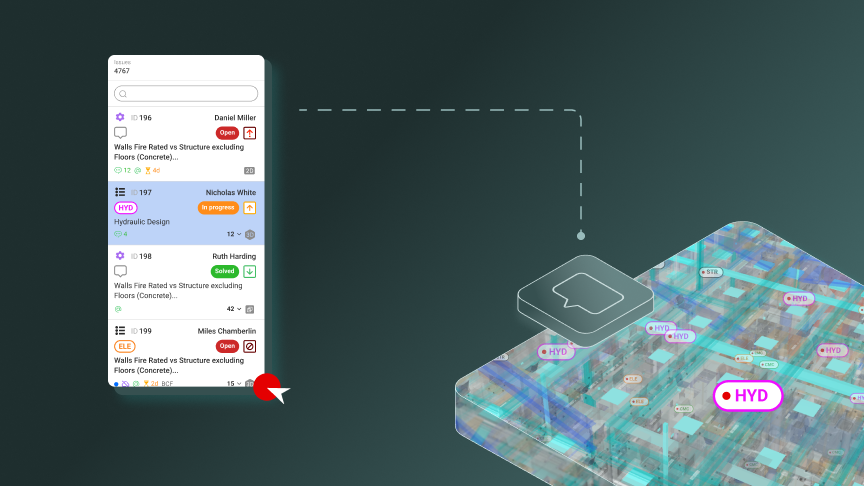
Revizto's issue tracker is particularly strong—it connects issues directly to 3D locations in the model, making it easy to document and resolve problems across disciplines. The platform supports desktop, web, and mobile access, so office and field teams work from the same information.
Construction managers and owners use Revizto to track progress and maintain visibility across multiple models and subprojects. The platform integrates with Autodesk Construction Cloud, Procore, and other project management systems.
Need BIM software that works for the whole team - not just the VDC desk?
Revizto brings your models, issues, and field teams together in one place. Easy enough for non-BIM users, powerful enough for coordinators.
Book a demo
Book a demo
Navisworks
Autodesk Navisworks is not an authoring tool—it's designed for model aggregation, review, and coordination. Teams bring together models from Revit, AutoCAD, and other sources into Navisworks to run clash detection, create 4D simulations, and review the project as a whole.
Navisworks Manage includes full clash detection and resolution workflows. Navisworks Simulate adds 4D scheduling. Navisworks Freedom is a free viewer for sharing models with team members who only need to review.
Solibri
Solibri is a model checking and quality assurance tool that works with IFC files from any BIM authoring platform. It validates models against building codes, project requirements, and coordination rules, flagging issues that wouldn't be caught by a visual review.
Solibri is widely used in European markets and by owners who want to verify that models meet their requirements before accepting them.
Procore BIM
Procore has built BIM capabilities into its construction management platform, allowing teams to view and work with models alongside project management tools like RFIs, submittals, and punch lists. Procore BIM is not a full authoring environment but provides a practical way for field teams to access model data in the context of their daily work.
Comparing BIM software platforms
With a range of BIM tools available, it helps to compare them across the dimensions that matter most to different users:
Authoring vs. coordination tools
BIM software falls into two broad categories: authoring tools (Revit, ArchiCAD, Tekla) where the model is created and detailed, and coordination/review tools (Navisworks, Solibri, Revizto) where models from multiple authoring tools come together for review, clash detection, and issue tracking. Most projects use both types.
Discipline focus
Some tools are optimized for specific disciplines. Tekla is the go-to for structural steel. Revit dominates architectural and MEP workflows. Allplan and Tekla share the structural concrete market in Europe. ArchiCAD and Vectorworks serve architecture-focused firms. Understanding which tools your collaborators use matters as much as your own preference.
Open BIM vs. proprietary ecosystems
Autodesk's ecosystem is deeply integrated but also somewhat closed—tools work best together when you're within the Autodesk family. Open BIM workflows using IFC allow teams with different tools to collaborate, though IFC exchange is rarely perfectly lossless. Platforms like Revizto and Solibri are built around IFC and work across authoring tools.
Cloud and mobile access
Cloud access varies significantly across platforms. Autodesk Construction Cloud, BIMcloud, and Revizto all offer cloud-based workflows where teams can access models without being tied to a specific workstation. This matters more for distributed teams and projects with active field operations.
See how construction teams use Revizto for BIM coordination
Real projects. Real results. See how leading teams cut coordination time and catch clashes before they hit site.
Read customer stories
Read customer stories
Cost and licensing
Revit and the Autodesk suite are subscription-based with costs that add up quickly for large teams. ArchiCAD, Vectorworks, and Allplan also use subscription models. Revizto licenses by user role, with pricing that scales with the project team. Solibri and Navisworks are available as standalone subscriptions or as part of bundles.
Total cost of ownership includes not just licensing but also training, hardware, and the time needed to build up internal expertise.
How to choose the right BIM software
The right BIM platform depends on your role in the project, your team's existing tools, and the scale of your projects.
Match the tool to your discipline and workflow
Start by identifying what you need the software to do. If you're an architect producing construction documents, Revit or ArchiCAD is likely your primary tool. If you're a contractor coordinating multiple discipline models, Navisworks or Revizto will serve a different but equally important function. Many teams use multiple tools for different parts of the workflow.
Consider your collaborators
BIM only works well when teams can share data effectively. If everyone you work with uses Revit, you'll face friction working in a different authoring tool. If your projects involve multiple firms with different tools, strong IFC support becomes critical.
Evaluate cloud and field requirements
If your teams are distributed or if you need field access, cloud-based platforms become more important. Look for platforms that offer mobile apps and web access that work reliably in field conditions.
Start with a pilot project
BIM software decisions are significant investments. Running a pilot on a real project—with a realistic scope and actual team collaboration—will reveal practical issues that demos and trials don't show. Pay attention to performance on large models, the learning curve for new users, and how well the tool handles your specific project types.
BIM software and construction technology
BIM platforms don't operate in isolation. They connect to a broader ecosystem of construction technology tools:
- Project management platforms like Procore, PlanGrid, and Autodesk Construction Cloud integrate with BIM models to connect design data with construction workflows.
- Estimating and cost tools pull quantities from BIM models to support cost planning and change management.
- Reality capture tools use point clouds and photogrammetry to compare as-built conditions against the design model.
- Digital twin platforms extend BIM data through the building's operational life, connecting design and construction data to facility management systems.
Revizto sits at the intersection of several of these categories, serving as both a coordination hub during design and construction and a platform for ongoing project oversight.
See Revizto in action
Book a personalized demo and see how Revizto fits your BIM workflow - from clash detection to field handover.
Book a demo
Book a demo
Common challenges with BIM implementation
Adopting BIM software brings real benefits, but implementation is rarely straightforward. Understanding common challenges helps teams prepare:
Model quality and standards
A BIM model is only as useful as the data it contains. Without clear standards for how elements are modeled, named, and structured, models from different teams become difficult to coordinate. BIM Execution Plans (BEPs) define the standards and expectations upfront.
Training and adoption
BIM software has a significant learning curve. Revit in particular requires substantial investment to use effectively. Firms that transition from CAD to BIM often underestimate the time required for training and the temporary productivity dip that comes with it.
Hardware requirements
Complex BIM models demand substantial computing power. Firms need to evaluate hardware alongside software—a powerful BIM authoring tool running on underpowered hardware will create frustration and slow down work.
Coordination workflow
Having good BIM tools doesn't automatically produce good coordination. Teams need clear processes for model sharing, clash review meetings, and issue resolution. The software enables the workflow, but the workflow has to be designed and followed.
The future of BIM software
BIM technology continues to evolve. Several trends are shaping where the industry is heading:
Cloud-native platforms
The move toward cloud-native BIM—where the model lives in the cloud rather than on local hardware—is accelerating. Autodesk's Forma and other emerging platforms aim to bring BIM workflows fully into the browser, reducing hardware dependency and making real-time collaboration more practical.
AI and automation
AI tools are beginning to appear in BIM workflows for tasks like automated clash detection prioritization, generative design, and code compliance checking. These capabilities are still maturing but are likely to significantly change how BIM software is used over the next several years.
Digital twins
The concept of a digital twin—a continuously updated model that reflects the current state of a building or infrastructure asset—is driving investment in platforms that extend BIM beyond construction. Bentley's iTwin and similar platforms aim to connect design models to operational data for long-term asset management.
Interoperability improvements
Industry efforts to improve IFC and other open standards are ongoing. Better interoperability reduces friction in multi-tool workflows and makes it easier for owners to maintain model data independent of any single vendor's platform.
Summary
BIM software has become essential infrastructure for construction projects of meaningful scale. The right combination of tools—authoring platforms for design, coordination tools for clash detection and review, and collaboration platforms for issue tracking and field access—enables teams to deliver better projects with fewer surprises.
Revizto helps construction teams bring their BIM models together in a platform built for coordination, issue tracking, and project visibility. Whether you're managing a complex multi-discipline model or tracking issues across a distributed team, Revizto gives everyone the access and context they need to to maximize workflows, reduce costs, and successfully complete projects of all types.
FAQs
There’s no single answer — the best BIM software depends on what your team actually does. Autodesk Revit dominates design and documentation. Navisworks is widely used for clash detection and model federation. For coordination and issue tracking across the full project team — including field staff — Revizto is one of the most adopted platforms, particularly on complex infrastructure and commercial projects. The right choice is the one that fits your workflow, not the one with the longest feature list.
The core things to evaluate: clash detection (does it catch conflicts before construction?), collaboration tools (can the whole project team — not just designers — work in the model?), mobile access (can site teams use it on-site without a laptop?), issue tracking (does it link problems directly to the model?), and interoperability (does it work with your existing file formats like IFC, RVT, NWD?). The more of these boxes a tool ticks, the less time your team spends switching between systems.
For collaboration specifically — where the goal is getting architects, engineers, contractors, and site teams all working from the same model — platforms like Revizto and Autodesk Construction Cloud are the most widely used. Revizto is particularly strong for teams that need field staff to actually engage with the BIM model, not just the VDC office. It’s designed to be approachable for non-BIM experts, which matters when you need real adoption across trades.
Free BIM tools like BIMvision and FreeCAD are useful for viewing or basic modeling but generally lack the collaboration, clash detection, and project management features that paid platforms offer. For small projects or individual use, free tools can cover the basics. For anything multi-disciplinary or multi-contractor, you’ll quickly hit limits — no shared issue tracking, no real-time coordination, limited IFC support. Most serious construction teams use at least one paid platform as their coordination hub.
Autodesk Revit is the most widely used BIM authoring tool globally, particularly for architecture and structural engineering. Navisworks is the dominant choice for model coordination and clash detection on larger projects. For construction-phase collaboration and issue management, Revizto and Autodesk Construction Cloud have the largest market share. The reality on most large projects is that several tools are used together — Revit for design, Navisworks or Revizto for coordination, and a separate platform for document management.
This is one of the most common frustrations in construction BIM: the VDC team has a great model, but site crews never touch it. Tools that have had the most success with field adoption tend to share a few traits — simple mobile interface, offline mode, and issue tracking that doesn’t require BIM knowledge to operate. Revizto is specifically built around this problem: it converts complex federated models into a navigable environment that foremen, supers, and trade partners can use without training, and is consistently cited as one of the top platforms for actual field adoption.