How KPF coordinated 800,000 sq. ft. of workplace design during a global pandemic
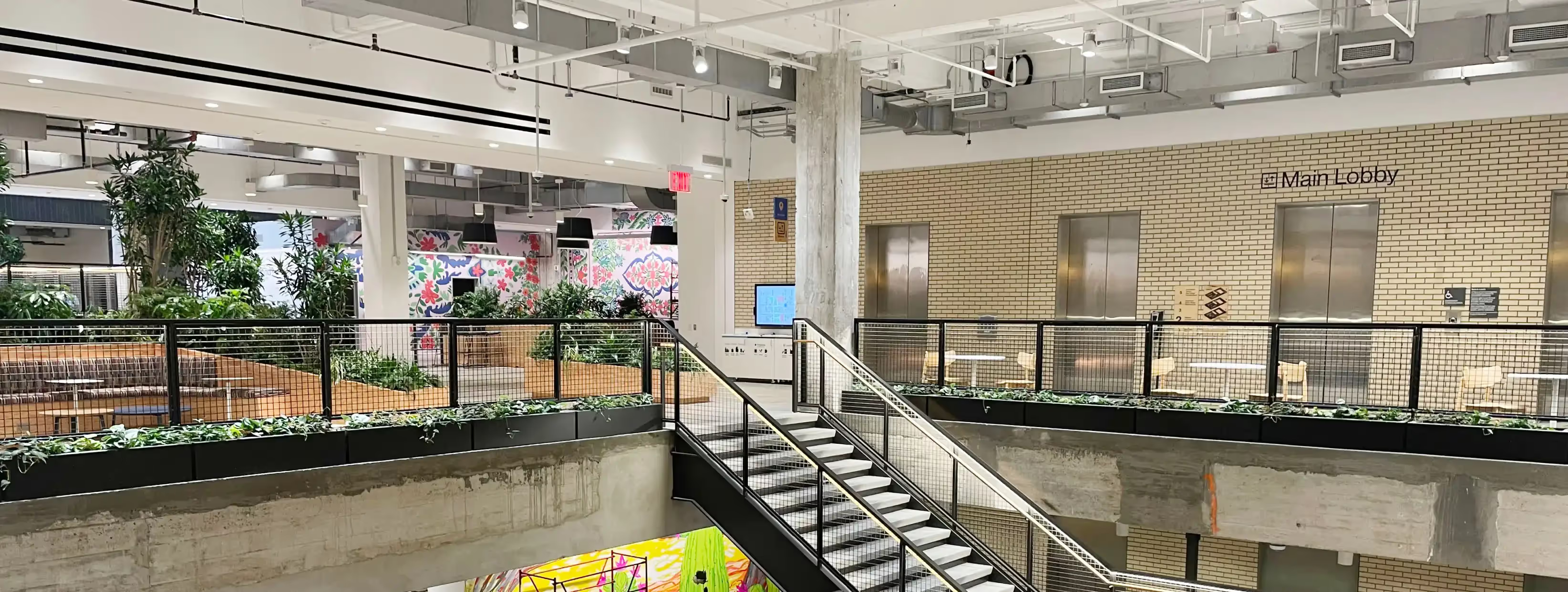
Kohn Pedersen Fox Associates (KPF) is a unified architectural practice focused on the design of buildings of all types and scales, in all geographic regions. Their projects, which span more than 40 countries, include the world’s tallest towers, longest spans, most varied programs and inventive forms.
An inside look into KPF’s collaborative workflow, enabled by Revizto
KPF is a unified architectural practice focused on the design of buildings of all types and scales,in all geographic regions. In this case study, Jenny Martin, Director at KPF, Veronica Quintero, BIM Practice Manager at KPF, and Shannon Hayes, Associate Principal at KPF, share how Revizto integrally streamlined their collaboration process throughout Project Potomac.
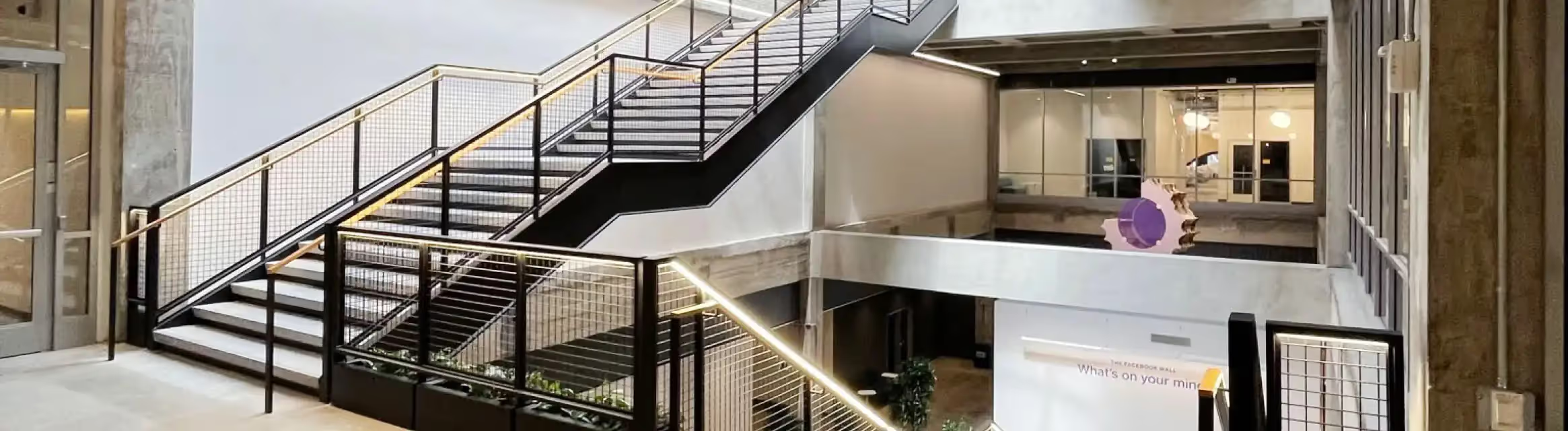
Project Potomac is located within one of New York City’s first architectural landmarks, with modern upgrades to meet the needs of one of the world’s largest tech companies. The office provides 3,500 desks and a range of breakout zones. The company’s workplace neighborhoods are capped at 150 people to create more intimate environments across the five floors and 800,000 square feet of office space.
Streamlining the design process
KPF was awarded the project in February 2020 and put together a large team to complete this complicated and fast-paced venture.
Revizto was utilized for internal coordination during the early design stage. Veronica noted that the team wanted to ensure that the design intent shown in the model also aligned with what they were drawing since, occasionally, 3D and 2D models have conflicting elements. In a nutshell, KPF used Revizto to streamline their design process – in particular, sharing feedback from the client team with the team who was crafting the drawings.
Most team members had Zoom and software fatigue. I thought that Revizto was another digital tool that would cause the same feeling. But now, we understand that it would have been almost impossible to coordinate, pickup markups, and meet deadlines without Revizto.
Veronica Quintero | BIM Practice Manager at KPF
Solving coordination pain points during the design phase
Shannon noted that prior to Revizto, the team struggled with other programs and faced multiple pain points. Let’s have a look at each of them and how Revizto turned out to be the solution they needed.
Remote work
Within weeks of securing the project, KPF shifted to remote work due to the COVID-19 pandemic. Thanks to the collaborative backbone of Revizto, KPF had the ability to simply swoop in and reassign tasks to other team members when needed.
The entire team got involved in the markup process, and even if someone was unsure whether the markup they were completing was correct, they could message their managers and ask. Jenny said that this process was “invaluable.” The team was growing each day, and everything was happening at an exceedingly increasing rate. Once they onboarded everyone onto Revizto, it became easy to keep track of everyone's actions.
We managed people’s workloads and varying schedules during COVID-19 successfully. One person may opt to work late into night, while another person could start their day at six in the morning. We were able to easily keep track of the progress by all of the team members.
Jenny Martin | Director at KPF
Issue tracking and markups
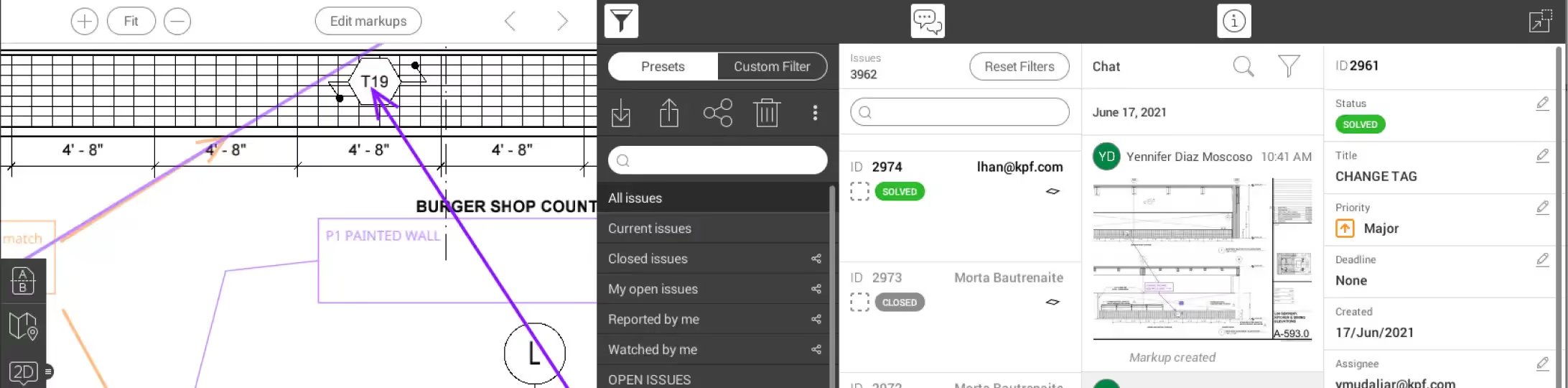
Keeping the set refreshed was a common pain point Shannon mentioned. Slipping sheets in markup mode allowed team members who didn’t use Revit to use the model and their drawings without editing the model in any way. Before Revizto, KPF used other software to mark up single or groups of sheets at any given time. The problem was that, as the project pace increased, team members would absorb different markups at different times, making them difficult to track.
Shannon's team was struggling to slip the sheets out to prove that processes were completed. She noted that with that pace of the project, the constant printing, moving, and organizing of markups could have become her full time job. Being able to assign tasks in Revizto, provide deadlines, and communicate back and forth on singular issues within the markup tool was really important for the team.
The issue tracker was Revizto’s most prominent feature for KPF. According to Shannon, they always opened Revizto’s issue tracker first before navigating anywhere else. The cornerstone of Revizto’s value for KPF included assigning deadlines and priorities, statuses, printing out reports of what was happening in the issue tracker and using it in real-time during meetings to manage everyone.
It was just so wonderful. The one big difference between Revizto and other software is that you mark things up continually. No need for rounds of comments which each must be completed and reprinted before moving on to the next round. Having all your comments still appear on the top of newly printed sheets is quite helpful. Just having it all in one place while simultaneously keeping the project history allowed us not to waste time.
Jenny Martin | Director at KPF
Shannon noted that she would do exports of the open issues for record-keeping purposes. She would export issues on specific dates with markups on them to keep a record of the pace of their markups and what was getting cleaned up. Sometimes, instead of printing, they would have meetings that required drawings that could directly export the plans at a regular rhythm. Jenny added that the ability to check if a comment was resolved correctly and keeping up with all the changes brought great value to her team.
Keeping a record of past events is necessary to track back and understand where something was missed, or on the contrary, if something worked out. Shannon noted that being able to turn on every markup on the sheet from nine months of work and say, “On this day at this time, we talked to this person,” was critical for their success.
The bigger the project, the harder it is to track all issues and keep up with the developments. According to Shannon, Revizto made it possible to set deadlines and priorities, print valuable reports, and use them in real-time meetings. Revizto came in handy for archiving as well. Markups were helpful both for archiving and meetings, where necessary models could be drawn instantly from the specific export dates.
Shannon also pointed out the fact that she didn't need to open Revit to print fresh plans. She would just export them as a PDF from Revizto as they were getting requests for sketches. She would simply pull the latest PDF out of Revizto and use it.
Improved meetings
Revizto allowed the whole team to get involved. Changing and assigning markups added a great deal of ownership in a way that they hadn’t been able to communicate before. Jenny noted that she would attend meetings at 9 a.m. every day with the entire team and see the task list, what every team member had been assigned to, and much more. If it turned out that they had assigned someone too many issues comments, they would split them up and reassign them to teammates with lesser workloads. As such, meetings became much more efficient since task delegation and issue management were much more seamless.
Point cloud surveys
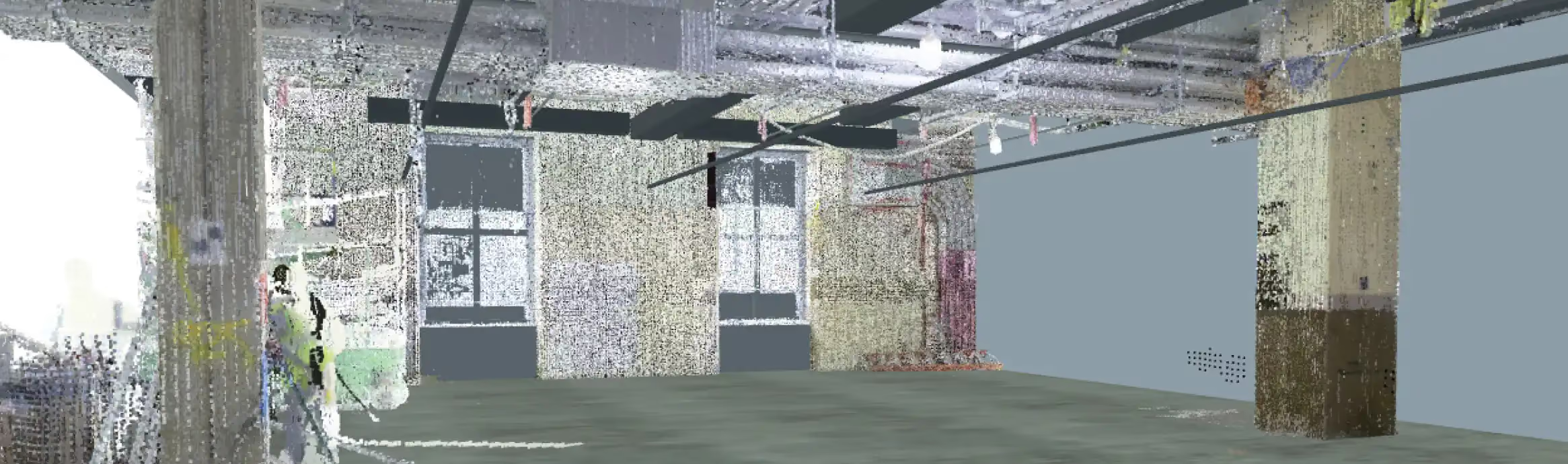
KPF had multiple point cloud surveys done at different intervals over the course of the project. They were dealing with close to 20 different models between base building models, their own models, and consultant models. Revizto helped them coordinate such large amounts of information.
Revizto allowed us to shortcut that process and turn the point cloud and consultant models on and off when the need arose. We used that for coordination in our meetings as well. As soon as we were in, we started to see more and more benefits.
Shannon Hayes | Associate Principal at KPF
Given that Project Potomac involved a historic building, the KPF team had the point cloud scan, various surveys, and years of drawings. Another portion of the building was in construction before it was handed to KPF, and they had new elements coming in from contractors that were unrelated to the project. But, the next scan would show the changes, allowing the team to work around the new elements.

Internal coordination and transparency
Another aspect where Revizto was vital to the team was in improving coordination. Jenny highlights that their team was forced to effectively split in half to tackle different tasks due to the pace and size of the project. This brought up many challenges in coordination and planning, ultimately impacting the team’s efficiency. Furthermore, onboarding new members was also a necessity, and because of COVID-19, communication and briefing were much more challenging. Revizto proved effective in providing coherent communication and organization.
In Jenny's words, all new team members got a chance to truly take on more and raise their game. Revizto allowed her team to organize everything in a way that everyone could take ownership of their work.
Revizto was a major contributor to team transparency. Shannon notes how the junior team members were able to set realistic work goals by observing their coworkers and keeping track of everything happening during the project. Revizto also helped integrate team members into Revit projects, further helping them to share information and gain experience.
Time management
When working on sizable projects, time management is essential. With Revizto, design teams working with Rhino and CAD could swiftly open up sheets and access whole sets. Revizto was also a great time-saving tool for consultant meetings, as models became much more accessible and less buggy. Previously, model views needed to be printed and organized, taking hours of valuable time.
We were just able to cut sections in real time, fly through different spaces with the consultants, open the drawing sheets and show them what we were talking about on top of the model, which was amazing.
Shannon Hayes | Associate Principal at KPF
Resolving issues
Revizto has greatly benefited team coordination and issue resolution. Veronica mentions that most projects still use the traditional PDF-overlay method of coordinating with consultants. This involved overlaying different discipline PDF drawings onto architectural drawings and marking up screenshots from design models. Revizto provided a more cohesive solution that essentially was the governing record for all markups.
What if I told you, instead of doing all those steps and having a million screenshots, you can do all this in one platform? And that's when I put on my sales hat. I was like, ‘there's this tool called Revizto…
Veronica Quintero | BIM Practice Manager at KPF
Resolving issues was done far more quickly through features, such as uploading renderings, attaching screenshots, and leaving comments all on the same platforms. With Revizto, there was no further need to chase down lost screenshots, and figuring out issues became much simpler.
Additionally, Revizto was a useful tool for promoting teamwork among coworkers. As Shannon explains, before Revizto, all issues were directly brought to the team leads, and a lot of time was needed to troubleshoot all the cases. Considering other team lead responsibilities, this caused a fair amount of delay. Through Revizto, issues can be passed to other team members and resolved fairly quickly. Moreover, Shannon mentions that Revizto provides a much more accurate report on each assigned task, making it easier to track responsibilities.
They could just send the issue around to other team members or even pass the issue to another team member without having to involve us, and it would get done. So, it helped the team manage themselves
Shannon Hayes | Associate Principal at KPF
Tips, tricks, and benefits
Revizto offers an extensive array of tools to meet the requirements of complex projects. Highlighting these tools, here are a few tips, tricks, and benefits KPF shared with us.
Highlighting and prioritizing during meetings in real-time – Jenny's team would have hours of meetings nonstop. Being able to work in real-time and knowing that everyone can immediately see the changes or get notifications is a great benefit for her team. "I can highlight and prioritize these changes."
Setting regular exports – Shannon Hayes, Associate Principal at KPF, says “Pick your automated export schedule and set it so that the team is aware. Also, be aware that you can bring in other information as well. We added resources that were just PDFs for the team. We had drawing set information that we put in. My tip is don’t think that the platform is static; you can use it creatively.”
Preparing coordination in Revizto. Creating pre-made views to present to consultants – “One of our teams that uses Revizto would prepare the coordination view a day before the meeting. They knew what they had to talk through with the consultant, so instead of flying through and creating sections on the go, they already had a premade view. That was helpful in order to not waste time during a meeting and have the views set based on the agenda that you were going to cover that day.” - Veronica Quintero, BIM Practice Manager at KPF