Managing 100+ models on a major healthcare project in Southcentral Wisconsin
Mortenson is a top 20 builder and developer leading construction in markets like sports facilities, renewable energy, data centers and healthcare.
Large construction projects require dependable software for effective coordination. In a joint webinar with Revizto, Mariya Sorensen, Senior Integrated Construction Manager at Mortenson, shared why her team made the decision to switch to Revizto halfway through the Medical Center in Southcentral Wisconsin project’s coordination process, and how they were able to accomplish this transition successfully. She also explained how Revizto's Clash Automation has helped Mortenson streamline the coordination process and accelerate issue management.
The main reason we chose Revizto is that we haven’t found a model that is too big for it to handle. That’s why I think Revizto is our secret sauce for large projects.
Mariya Sorensen | Senior Integrated Construction Manager
About Mortenson
Founded in 1954, Mortenson is a U.S.-based, top-20 builder, developer, and engineering services provider serving the commercial, institutional, and energy sectors. Mortenson has operations across the U.S. with offices in Chicago, Denver, Fargo, Iowa City, Milwaukee, Minneapolis, Nashville, Phoenix, Portland, Salt Lake City, San Antonio, Seattle, and Washington, D.C. (For additional information, visit www.mortenson.com.)
Mariya’s team provides various services, including MEP coordination, constructability reviews, 4D scheduling, 5D estimates, and much more. They also integrate VR, augmented reality, and mixed reality into construction processes that streamline workflows, reduce costs, enhance safety, improve communication, and ultimately deliver better quality projects.
They work on many renewable energy projects, including wind, solar power generation plans, data centers, sports facilities, healthcare projects, airports, transportation, water and wastewater treatment plants.
Project overview
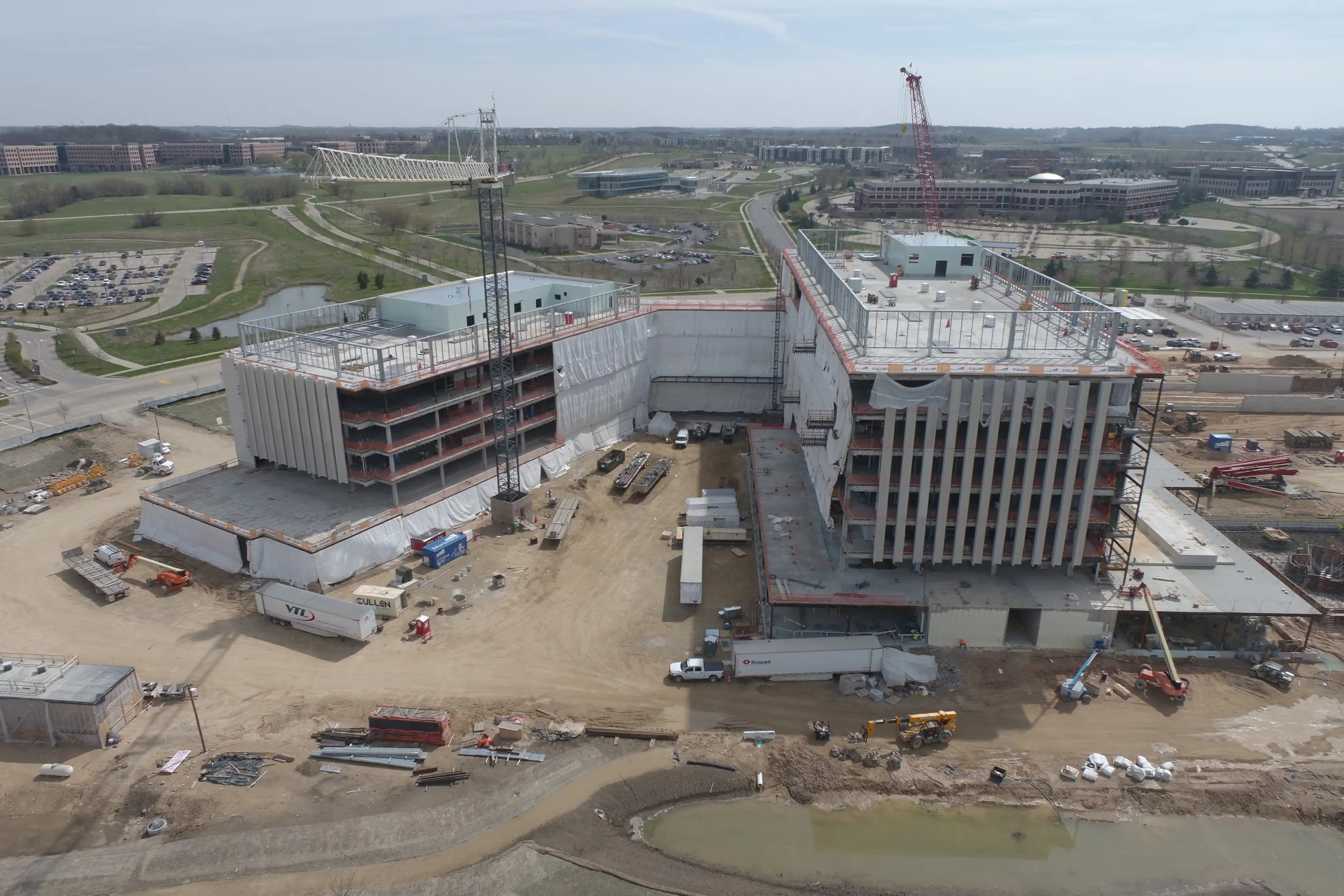
This project is a large, multi-disciplinary specialty care medical center located in Southcentral Wisconsin. The project encompasses 763,000 square feet. Mortenson was selected in a joint venture with JP Cullen for this project very early on, but due to COVID-19, the project faced multiple delays.
A major challenge with this project was the high number of major diagnostic and treatment rooms, including MRI, CTs, Linear Accelerators, High Dosage Radiation rooms, and Proton Therapy. The building is not hospital occupancy, but rather a medical office occupancy, and as such, Mariya’s team did not have access to overly abundant interstitial space above ceilings to coordinate the installations of the various trade work.
It’s a big challenge to coordinate this project since we don’t have a lot of space to work with. Because of this, we had far more clashes than we would typically see on a hospital project.
Mariya Sorensen | Senior Integrated Construction Manager
Another key part of the project is the proton therapy center. Proton therapy is an advanced form of radiation therapy that treats tumors with a precise dose of radiation instead of treating one large area; there are only a few of these buildings in the world.

Why Revizto is the go-to BIM collaboration platform for large construction projects
Everything in one space
Mariya noted that they have over 50 people on each coordination call, including other GCs and trade partners, their design team engineers, field teams and owners. As such, it’s even more challenging to agree on schedule, software and workflow.
Eighteen months into the project, there were more than 100 models and a couple of dozen coordination spaces in the coordination module. It became increasingly challenging to update and coordinate the project.Additionally, they have multiple architects, construction teams, and sometimes engineers; and orders would change.
Mariya also pointed out that due to the size of their workflows, they split buildings by floors and areas. When you look at multiple areas simultaneously, it can be quite time-consuming to jump all over the place and open different sections and parts of the building.
It’s amazing to have the entire model in one space, and as you jump from different viewpoints, you can section and slice and dice it the way you want. With other platforms, you might have to combine various views to get the job done. With Revizto, everything is inside of one platform; a one-stop shop for everything.
Mariya Sorensen | Senior Integrated Construction Manager
Model tracking
Tracking models in Revizto is a process of monitoring and managing changes made to the design or construction models over time. Revizto provides a robust model tracking system that allows you to view, compare, and manage multiple model versions.
Benefits of the Revizto model tracking system include:
- Version history
A complete history of all changes made to a model, including the date, time, and person responsible for each change. - Model comparison
The ability to compare two or more versions of a model and see the differences between them, including changes to the geometry, materials, and annotations. - Automatic versioning
Revizto automatically creates new versions of a model whenever changes are made, allowing you to easily revert to previous versions if necessary. - Model merging
The ability to merge changes made by multiple team members into a single version of the model, resolving any conflicts that may arise. - Model access control
The ability to set permissions for different users and teams, allowing you to control who has access to specific versions of a model.
Mariya’s team initially started utilizing federated models, which would use Revit views, and that would take considerable time. For example, to update an architectural model, she noted that sometimes it would take 24 hours to make it to the coordination space. Once the team started using other software for the coordination module, they would get geometry duplication, and each time that would happen, the software would crash and they had to start over.
It was a very hard realization that we must stop and figure out what we can do. Thankfully, Revizto was able to build the space for us within a week.
Mariya Sorensen | Senior Integrated Construction Manager
Mariya mentioned that it is quite easy to track project versions in Revizto and not just use it for version control but also for the signoff process. In the past, they would save old models somewhere and ask their trade partners to sign an additional document.
They don’t have to do any snapshots; they can simply go into versions and mention in your signoff document which version they reference or which area specifically.
She continued by pointing out that with a platform like Revizto, you get the full history no matter when you join the project. Her team can see the entire history of a created issue and finally concentrate on actual clashes and not worry about software handling projects of such magnitude.
Overall, the model tracking system in Revizto helps ensure that design and construction projects are managed efficiently, accurately, and effectively, with all changes to the model being easily tracked and managed over time.
File and file format transfers
Another big advantage of Revizto for Mariya’s team is that old properties can easily be transferred from Revit to Revizto so that everyone in a project can take advantage of search sets and appearance profilers.
Some of the file formats supported by Revizto include:
- 3D model formats
Revit, Navisworks, SketchUp, AutoCAD, Rhino, and more. - Image formats
PNG, JPG, BMP, and TIFF. - Video formats
MP4, WMV, and AVI. - Document formats
PDF, DOC, XLS, and PPT.
If you tried running appearance profilers in other software, you probably know how challenging that is. It’s a click of a button in Revizto.
Mariya Sorensen | Senior Integrated Construction Manager
To transfer files in Revizto, you can simply import them into the platform using the Import function. You can also export files from Revizto in various formats to share with team members or use in other software programs.
Clash automation
Revizto's Clash Automation uses advanced algorithms and 3D modeling technology to identify any overlapping or conflicting elements in the design, such as pipes, ducts, or structural beams, and helps to resolve these issues before construction begins. This helps save time, reduce construction costs, and improve the quality of the final product.
Mariya noted that Revizto’s Clash Automation does exactly what it says; it automatically groups clashes for you. Furthermore, she mentioned that individuals who have been part of large projects and had to group clashes in the past know how time-consuming the process can be just for grouping the clashes, not resolving them.
In the past, we used all sorts of workflows to automate that process. But still, it’s not a one-stop shop. I love how I can group clashes in Revizto. You can define varying proximities in the design and construction phases. You can add additional attributes to the system classification, or you can add room names or zones or different levels and much more to make clashing and construction coordination more precise.
Mariya Sorensen | Senior Integrated Construction Manager
Mariya also mentioned a few advantages of Revizto’s clash detection:
- Having individual workflows - the team is not locked in a specific workflow.
- Specifying clash types - the ability to select between hard, clearance, or tolerance.
- Ignoring duplicate clashes - having geometry coming from different models can be ignored.
Stamps
Stamps in Revizto are used to annotate, mark-up and document specific areas of interest on a design or construction project. Some advantages of using Revizto stamps include:
- Improved collaboration
Stamps in Revizto allow team members to communicate and collaborate more effectively on a project by annotating and sharing changes in real-time. - Increased efficiency
With stamps, information can be quickly and easily added to a project, reducing the time and effort required for manual documentation and communication. - Enhanced accuracy
Stamps in Revizto help ensure accurate documentation of design and construction details, reducing the risk of errors and misunderstandings. - Better project management
Stamps can be used to track and manage tasks, change orders, and other project details, helping to ensure that projects stay on track and within budget. - Improved visualization
Revizto stamps are integrated with the platform's 3D visualization capabilities, providing a comprehensive and interactive view of a project.
Mariya noted that stamps can be used throughout all of Revizto. She believes that feature can be used in Clash Automation as well since it helps automate issues and allows everyone to see the full history regardless of project delays, who created the issue, or if it needs to be an RFI type of issue.