5.17: The CIO’s perspective
See how Revizto fits your workflow
In our previous post, Marc Schütz - Revizto’s new Chief Product Officer - outlined the thinking behind the 5.17 release and the direction it sets for our product and our customers. If you haven’t read it yet, I recommend starting there. It provides context for why 5.17 exists and the problems it is designed to solve.
As Revizto’s Chief Innovation Officer, my focus is on how technology performs at scale, how it reduces operational risk, and how reliably it supports teams working under real-world project pressure. From that perspective, 5.17 is a clear continuation of our strategy.
In this post, I’ll highlight the 5.17 capabilities that deliver the strongest operational impact - features that remove friction, reduce manual effort, and make coordination more predictable on large, complex projects.
Local Preview
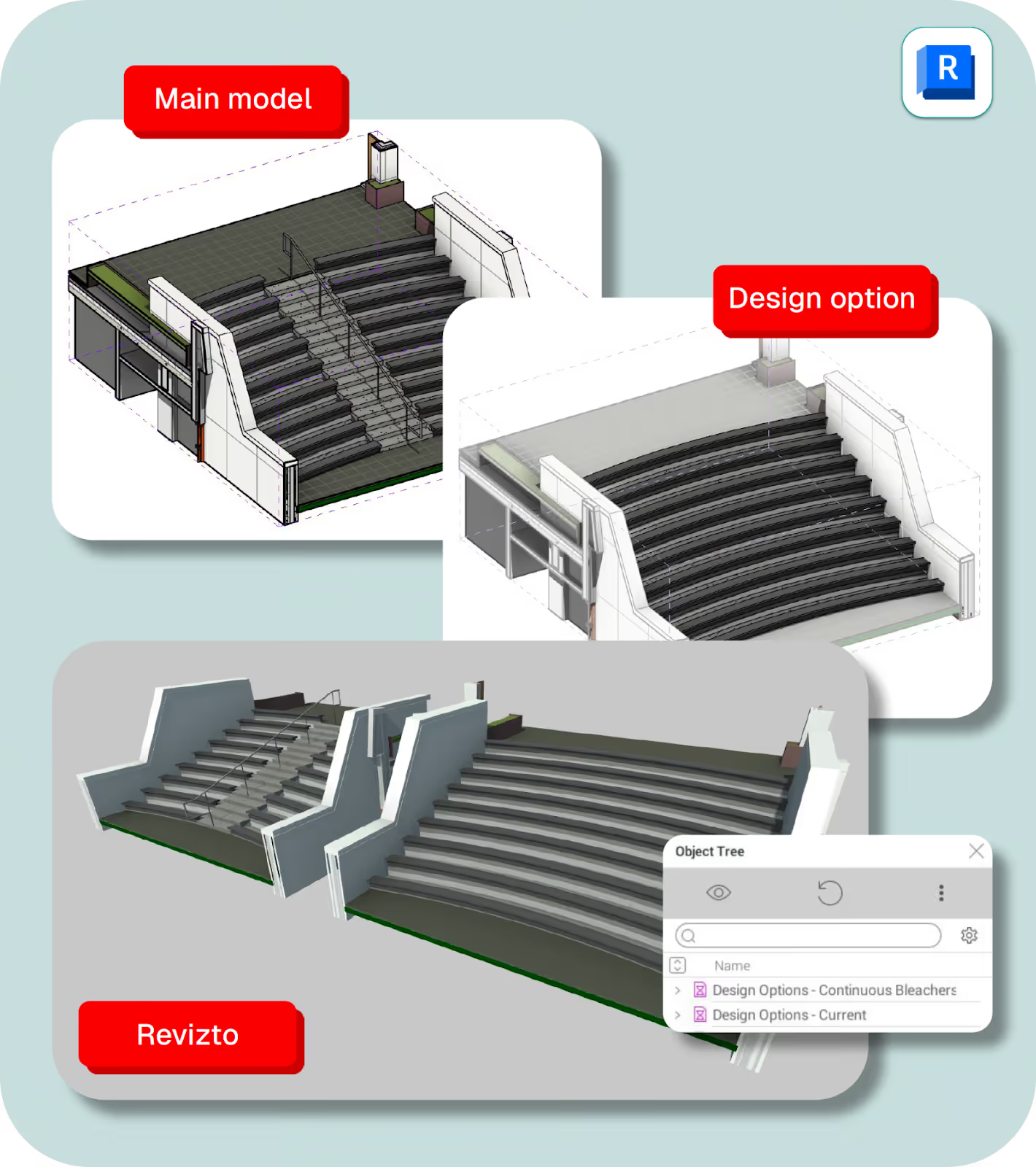
Local Preview removes a major source of friction from design coordination. Teams can publish temporary 3D scenes directly from Revit without triggering a full model republish, dramatically speeding up design reviews, clash resolution, and option testing during live coordination sessions.
These previews remain fully interactive - supporting selection, appearance templates, search sets, and issue creation - while being clearly identified as temporary and excluded from project-wide syncs. Crucially, elements retain their Revizto IDs, ensuring issues remain reliably linked to source models even after previews are removed. The result is faster iteration under pressure, without compromising data integrity or disrupting other teams.
Support for empty object properties
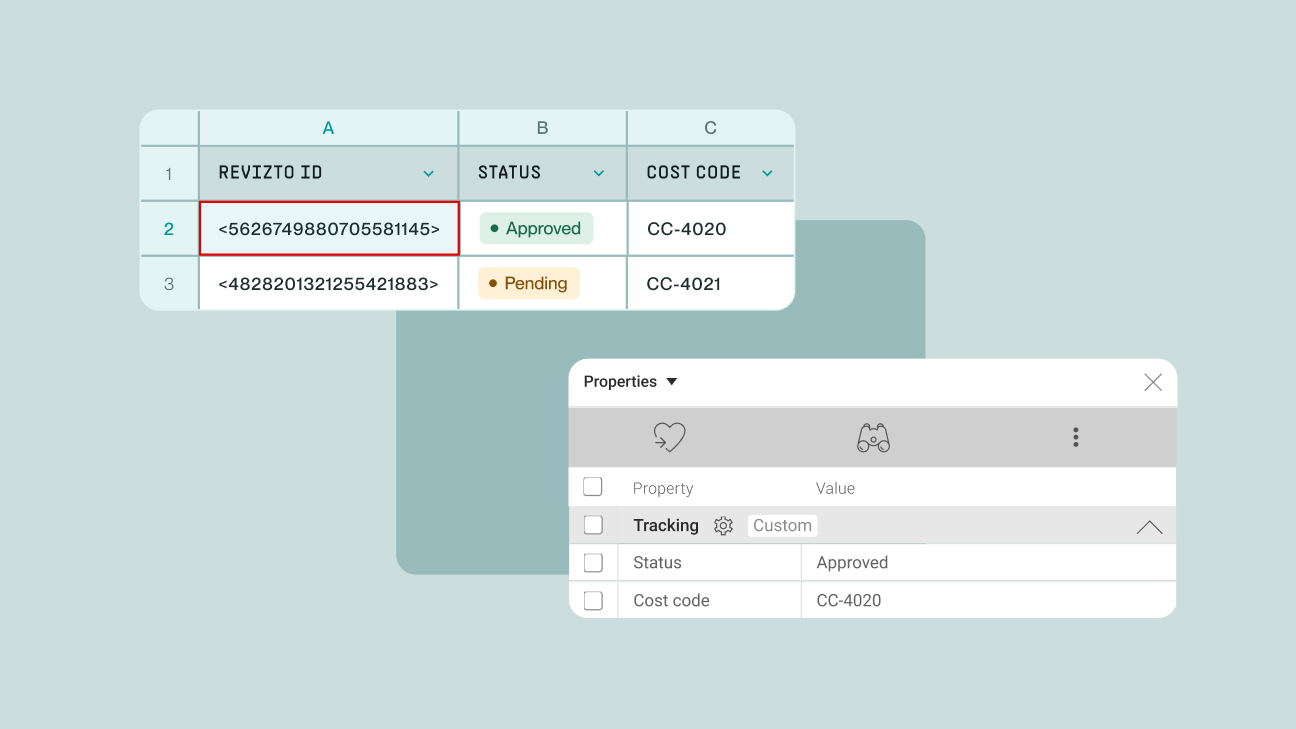
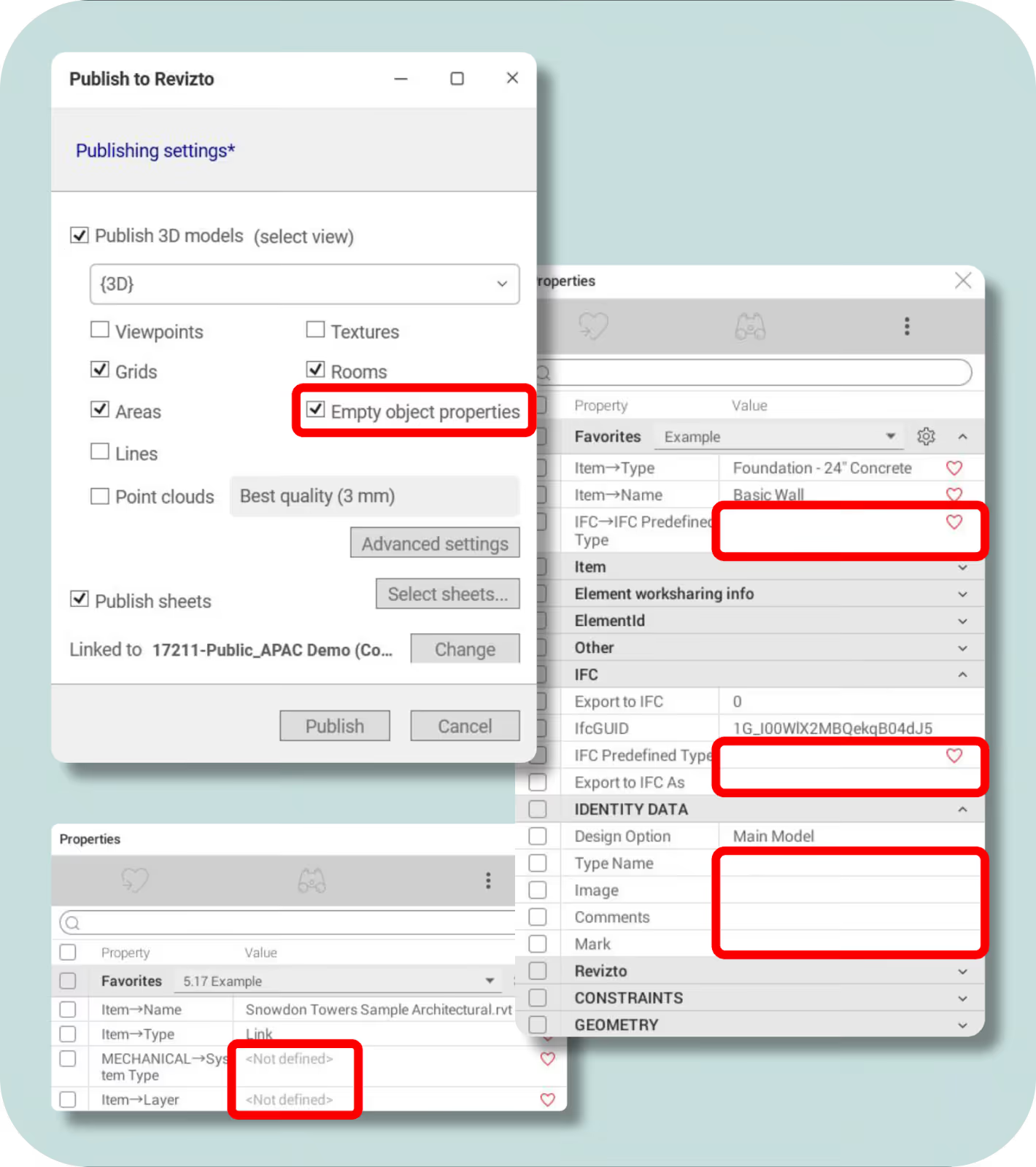
Revizto 5.17 introduces full support for empty object properties, a critical improvement for QA/QC and handover workflows. Previously, properties without values were excluded during publishing, making it difficult to identify missing or incomplete data.
With 5.17, empty properties are preserved and displayed consistently across Properties, Search, Favorites, Selection Inspector, and CSV exports. New search operators - empty, not empty, and not defined - allow teams to validate model completeness, enforce data standards, and surface gaps early, strengthening trust in Revizto as a platform for construction readiness and asset handover.
Transform Scene
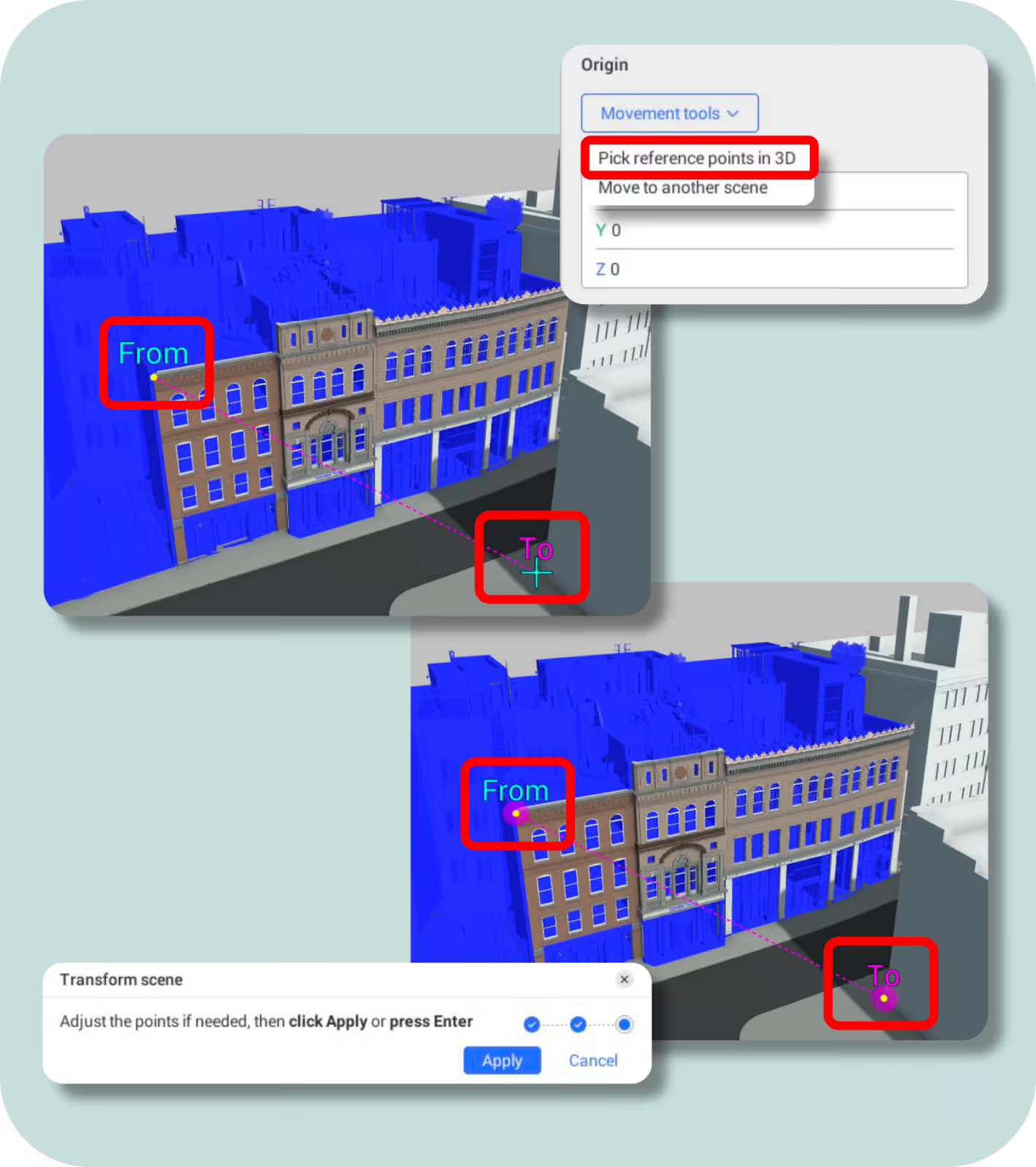
Transform Scene introduces precise, scene-level control for repositioning and reorienting models directly within Revizto. By replacing coordinate-driven workflows with point and line-based alignment, teams can move or rotate entire scenes using reference geometry, with changes previewed and applied in real-time.
Because transformations operate at the scene level - not on individual models - internal model integrity is preserved while enabling consistent alignment across federated models and Local Preview. This allows teams to correct misaligned datasets quickly and accurately, without the need to republish from authoring tools.
Clash Automation: Group by Search Set
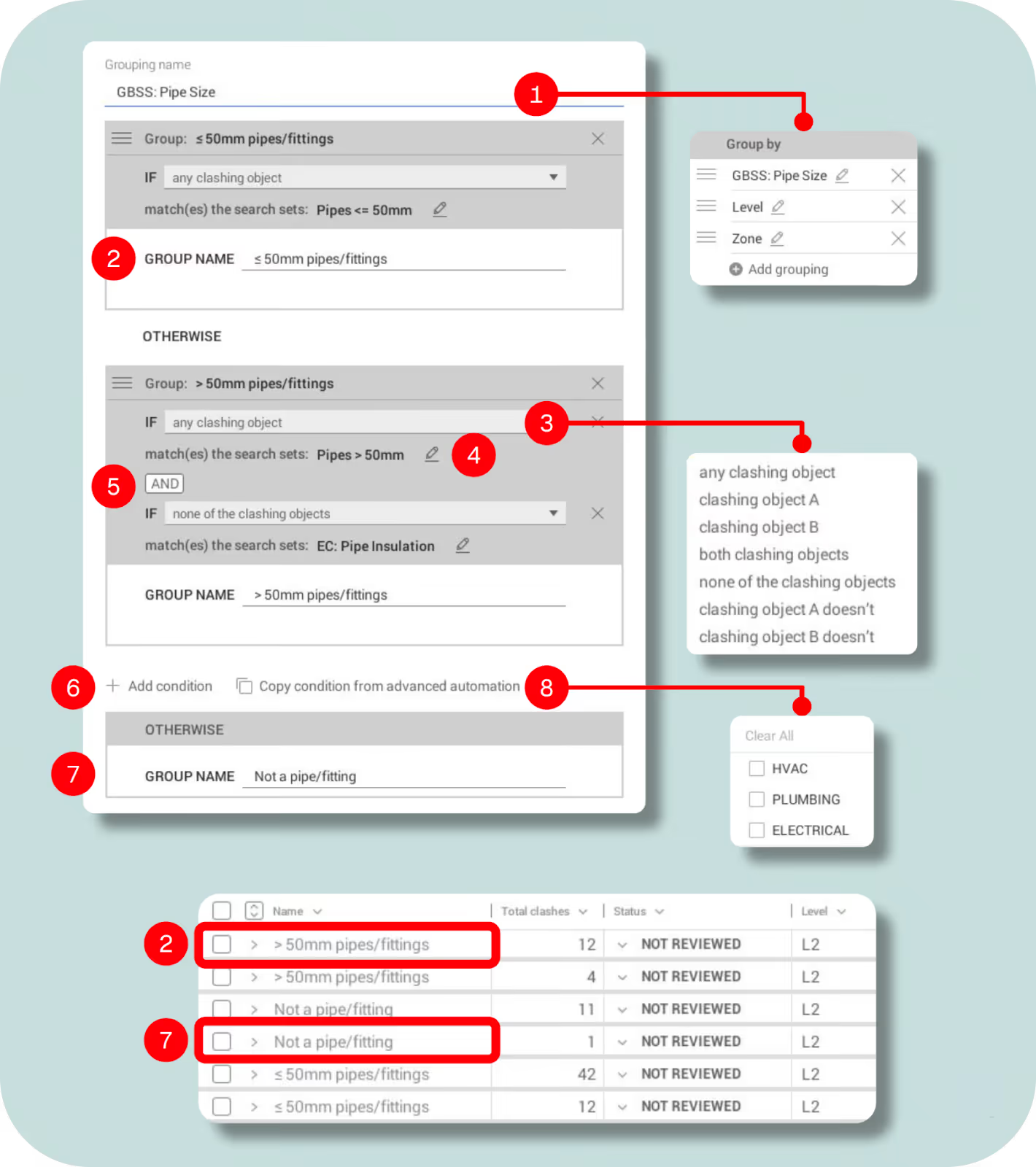
Group by Search Set brings more advanced, logic-driven grouping into Clash Automation by allowing teams to reuse Search Sets with AND/OR conditions. This enables precise categorisation - such as separating systems by type or size - without creating multiple tests or relying on manual workarounds.
By aligning clash grouping logic with Advanced Automation, teams can apply consistent rules for issue creation, assignment, and prioritisation, reducing manual effort while improving accuracy and scalability across coordination workflows.
Revizto 5.17 represents an important step forward in how we support coordination at scale - and it’s only part of a broader journey we’re on with our customers.
If you’d like to see how these capabilities work together on real projects, you can explore the 5.17 release in more detail here, or book a personalized demo with our team. Stay tuned for the next post in this series, where we’ll continue to explore how 5.17 strengthens collaboration across the entire project lifecycle.