5 reasons your clash detection is generating too many false positives
See how Revizto fits your workflow
Unmanaged false positives waste review hours and erode trust in coordination. Eliminating model noise requires solving five core causes: clashing full models without scope, missing ignore rules, ungrouped clash hits, unautomated workflows, and unstable search sets.
A false positive is two elements that meet the clash criteria but were always meant to be exactly where they are. Left unmanaged, they don't just waste review time, they erode trust in the whole coordination process until people stop taking clash reports seriously. A handful of genuine conflicts can get buried under thousands of results that were never worth reviewing in the first place, and once that happens, coordinators start skimming reports instead of trusting them.
Here are the five most common reasons that happen and the fix for each.
1. You're clashing whole models instead of element categories
Macro coordination, clashing an entire model against another entire model, is the single biggest generator of false positives. It's fast to set up, but it can't distinguish between a genuine conflict and two elements that were never going to be a problem. Switching to micro coordination, testing specific categories against each other, is the foundational fix.
2. You haven't set up Ignore Rules
A mature clash framework filters out known non-issues before a human ever sees them. That means rules to ignore duplicate geometry, ignore clashes between elements in the same model, ignore spatial objects like rooms and zones, ignore objects already excluded via Search Sets, and ignore clashes where both objects share the same property value. Skipping these means re-reviewing the same non-issues on every single run.
3. You're not grouping related clashes
One misrouted duct can generate dozens of individual clash hits as it crosses multiple elements. Reviewing each one separately wastes time and obscures the actual scope of the problem. Grouping clashes together, by level, grid intersection, room, zone, or spatial proximity, collapses many individual results into one reviewable group, and makes it far easier to spot genuine patterns versus noise.
4. You're skipping Advanced Issue Automation
Basic clash detection flags anything that meets the geometric criteria. Advanced Issue Automation goes a step further, analyzing clashes against defined location and Search Set conditions before they're ever raised as an issue. That's the difference between "this technically touches" and "this is a problem someone actually needs to fix."
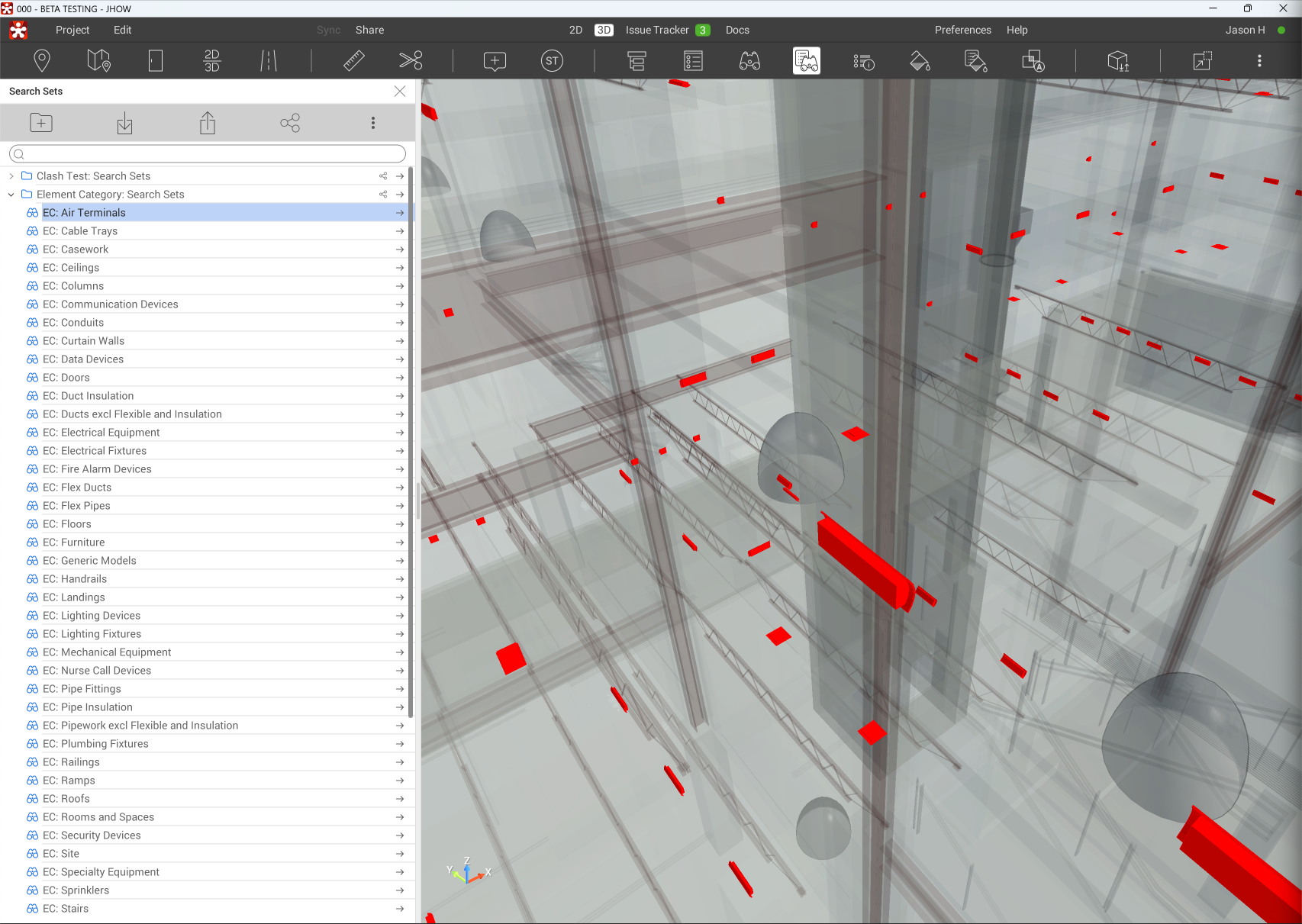
5. Your Search Sets aren't built for clash testing
If your Search Sets are ad hoc rather than structured, small edits to one set can quietly break several clash tests at once, generating false results that have nothing to do with the model itself. Best practice is to build dedicated Search Sets specifically for clash tests, composed of your broader category and property sets, so routine changes don't disrupt the automation underneath them.