What's new

Dive into the latest release

Explore the latest features and improvements in Revizto, helping teams reduce risk, accelerate project delivery and work more effectively across the entire project lifecycle.
Current release

5.18

What’s inside
A more flexible way to review. Faster, more focused coordination. Better-connected project information.
Collaborative Clash Automation
Revizto 5.18

Closing the gap between review and decision

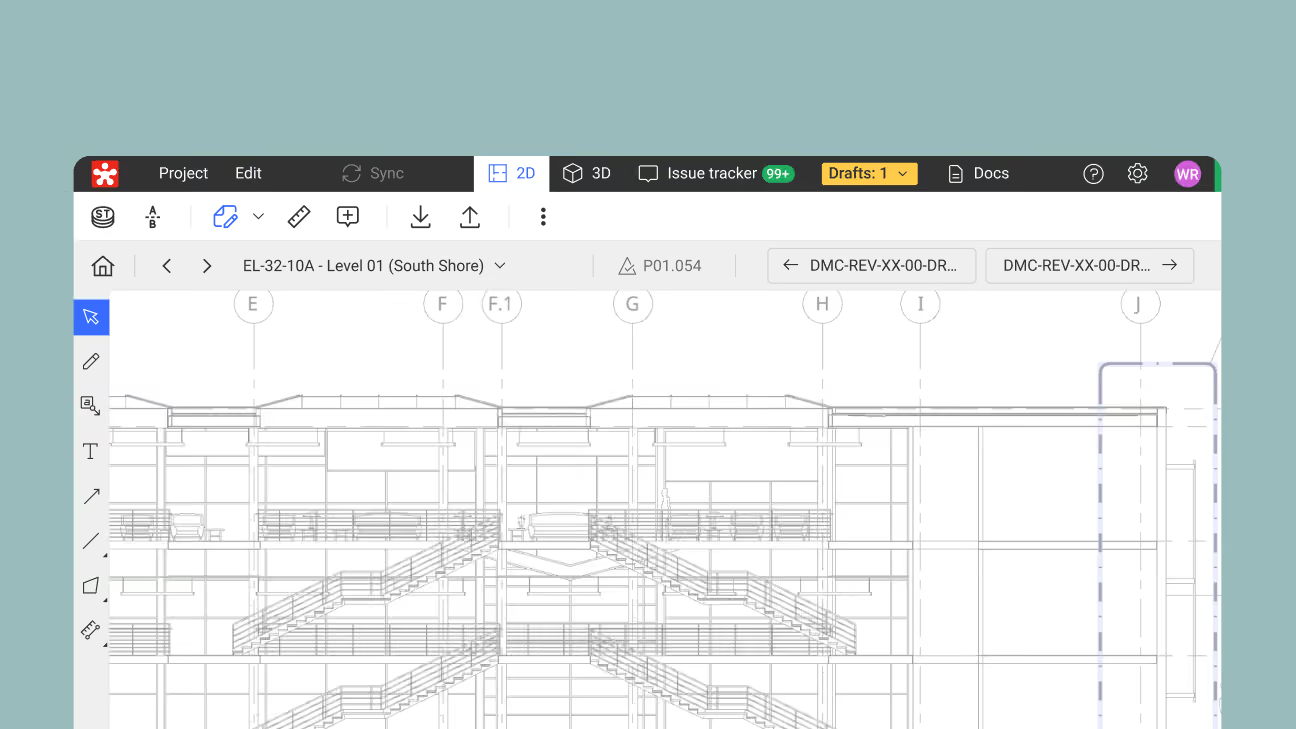
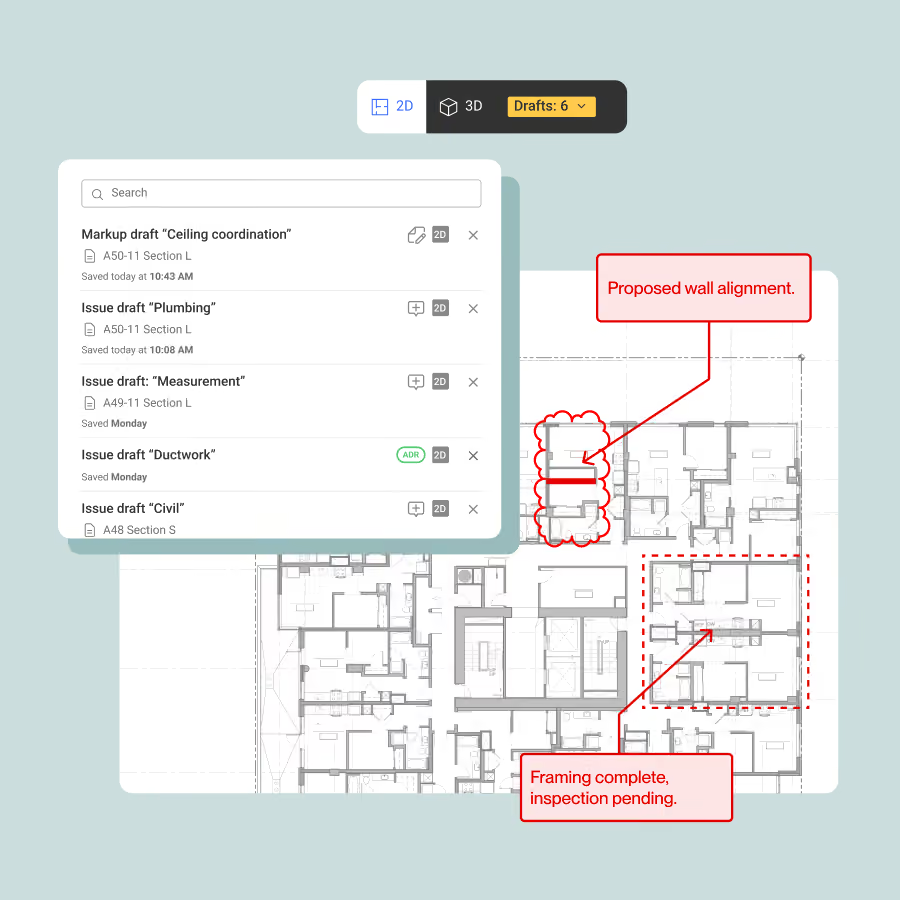
Revizto 5.18 introduces Draft Mode, a more flexible way to move from first markup to tracked project decisions whether you’re working on 2D drawings or 3D models. Alongside it, faster performance, redesigned navigation and improvements to project information make review and coordination smoother across 2D and 3D.

Draft mode

Draft first. Decide later.

Not everything identified during a review needs to become an issue straight away.

With Draft Mode, create new markups in 2D and new issues in 2D or 3D, keeping them as drafts until they’re ready. Existing issues and their markups can also be edited without exposing work in progress.

Stay in project context. Refine the detail. Publish what needs to be tracked when you’re ready.
Collaborative Clash Automation
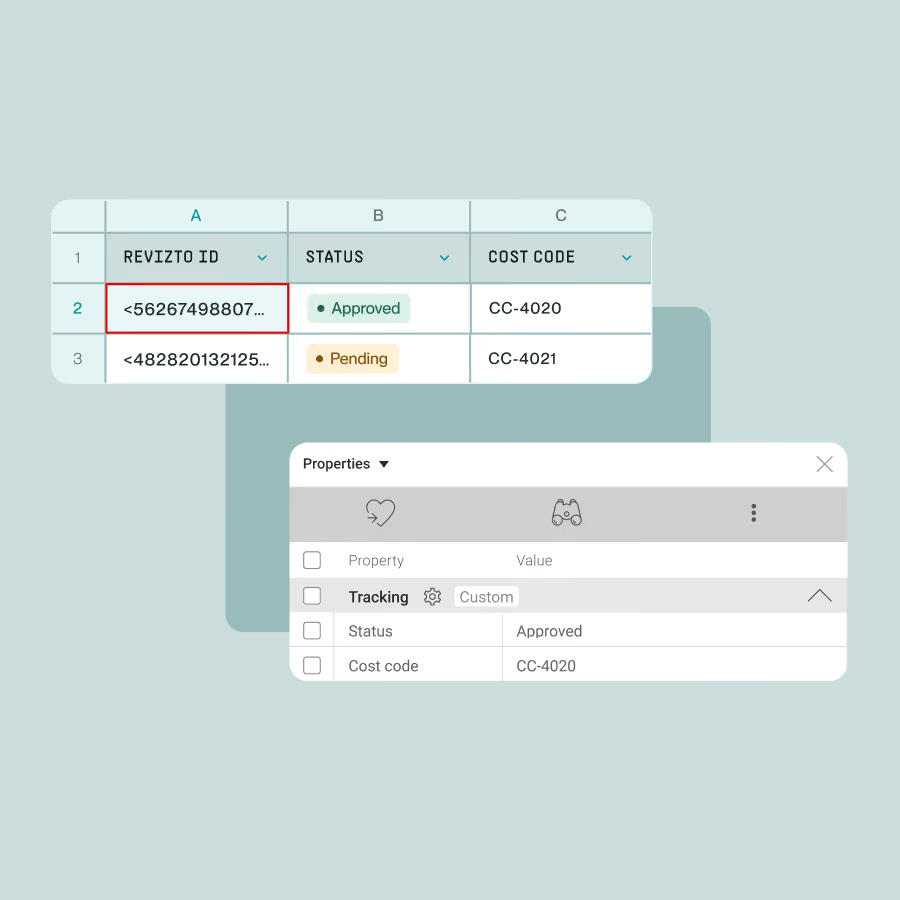
CUSTOM PROPERTY CSV EXPORT/IMPORT (BETA)

Turn more project data into context, faster

Custom Property CSV Export/Import (beta) adds a round-tripping workflow for model data. Export properties to CSV for use in downstream systems, or enrich and update Revizto custom properties externally before bringing those updates back into Revizto. The source model stays unchanged, while project data can move more easily across the wider project ecosystem.

More in Revizto 5.18

Faster review across 2D & 3D

Revizto 5.18 brings faster performance and redesigned navigation to keep reviews focused and efficient. Contextual tools, on-sheet issue filtering, pins and markups in one view, plus the ability to copy, cut and paste markups across sheets and projects, make it easier to work without breaking your flow.

Sheet information, aligned with Revit

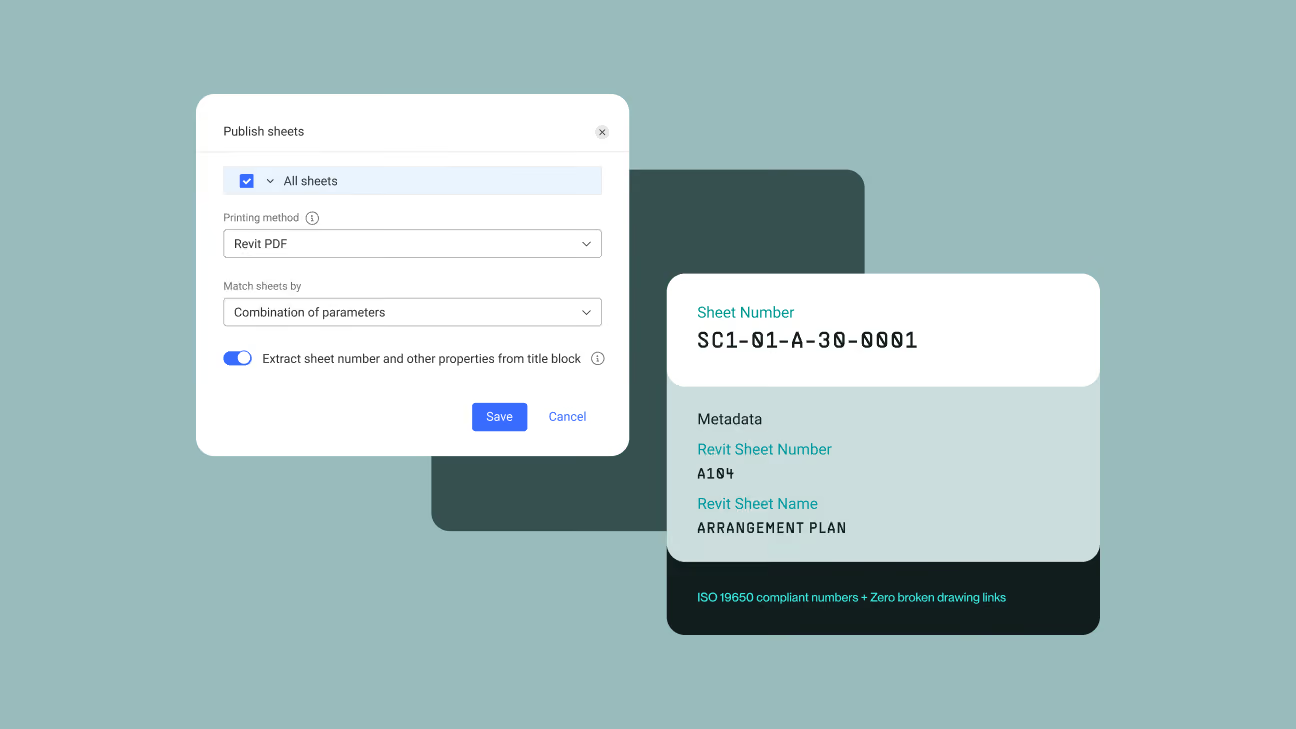
Keep sheet numbers, titles and revisions in Revizto aligned with what’s shown on Revit drawings. Support complex naming conventions, reduce manual corrections and maintain more consistent drawing identification.
For teams working to ISO 19650, this can also support compliant drawing identification and naming standards.

Compare drawings at different scales

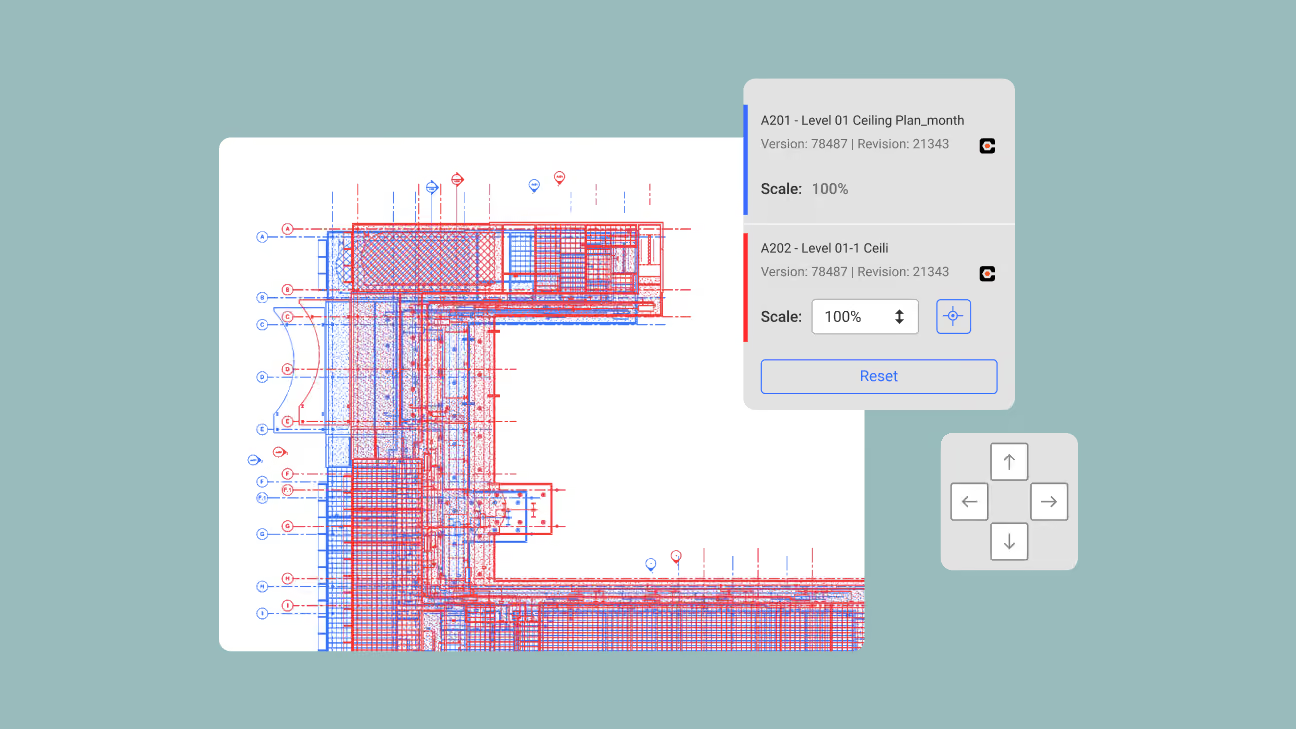
Drawings don’t always use the same scale. Adjust sheet scale by percentage around a fixed anchor point, so drawings with different scales can be accurately aligned, overlaid and compared. Review differences in context, maintain an accurate point of reference and make comparisons easier to understand across your drawing set.

In case you missed it

Connect Revizto data to more of your workflow

Explore new ways to securely connect Revizto project data with external systems, applications and AI-powered workflows.

Read more
Read more

Explore what arrived in 5.17

Catch up on the features and improvements introduced in our previous release.

Read more
Read more