MCP, Made Practical: six real project workflows with your own AI
See how Revizto fits your workflow
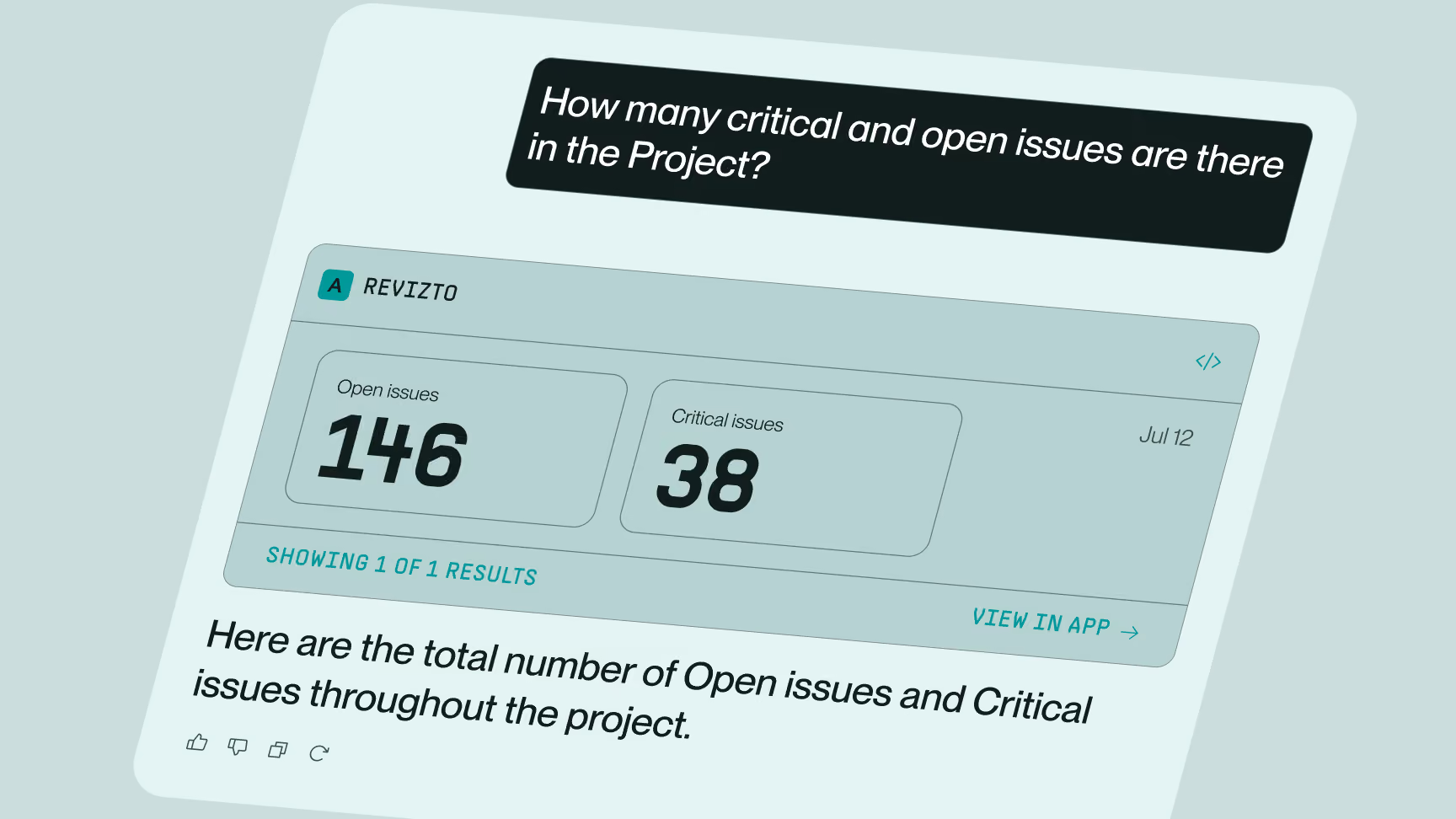
Project teams ask time-sensitive questions every day. Can we sign off on Friday’s milestone? Who is carrying too much of the backlog? Where should the foreman walk first? The answers may already be in Revizto, but finding them can still mean waiting for a BIM or VDC specialist to search, filter and report back.
The Revizto MCP Server shortens that path. It connects the AI your team already uses, such as Claude, ChatGPT or Microsoft Copilot, to your Revizto project data. Users can ask questions through a chat-based interface, in plain language. You choose the AI. Access follows the permissions of the signed-in user. Revizto provides the connection, not the AI.
Through the MCP Server, your chosen AI can read accessible coordination data and, where supported and permitted, prepare or apply selected updates for review.
We recorded six short demonstrations on a project. Each shows the same practical pattern at a different level: ask a focused question, learn from the answer and the source records behind it, then act when the next step makes sense.
Six practical MCP workflows
Choose where to start
- New to MCP? Start with The health & safety check.
- Want to see the full Ask. Learn. Act. loop? Watch The Monday morning backlog.
- Ready to build on the connection? Jump to The clash dashboard or The reusable workflow.
Use case 1: The Monday morning backlog
It is 8:30 a.m. and the coordination meeting starts at nine. The user asks who is holding the work and identifies one person carrying far more than their share. After reviewing the recommendation, they instruct the AI to reassign the oldest issues, set a new deadline and add a comment. The approved changes appear in Revizto.
The prompt:
“Using the Revizto Sydney MCP connector look at my Codifying Coordination - MCP project. Break down every open issue by assignee and status category, work out each person's fair share of the open backlog, and tell me who is above it and by how much.
Then tell me honestly: is this a distribution problem I can fix by reassigning, or a capacity problem I need to escalate? Don't give me a top-ten list — give me the concentration figure and the residual.
Use first names only, not email addresses.”
Use case 2: The clash dashboard
The project has more than 4,000 clashes, and many have never been reviewed. The user asks the AI to diagnose them rather than just list them. Then the AI builds an interactive dashboard with a clash matrix and filters. The dashboard is created as a Claude Artifact, not as a native Revizto dashboard. It shows how teams can build a tailored experience on top of the MCP connection.
The prompt:
“Using the Revizto Sydney MCP connector, analyse the Codifying Coordination - MCP project, don't list clashes – diagnose them.
Group the clash records by source file pair and by review status. Tell me which model pairing is generating the most conflicts, flag anything that's a self-clash within a single discipline model, and tell me what the review status distribution says about whether this clash set is being worked or just accumulating.
Then give me the root cause, not the symptom.”
Use case 3: The approval gate
A milestone is due Friday. Instead of reviewing every issue and comment, the user asks for a readiness assessment. The AI surfaces the backlog behind its conclusion: the project is not ready for sign-off. The evidence remains visible, while the project team retains responsibility for the final decision.
The prompt:
“Using the Revizto Sydney MCP connector, analyse the Codifying Coordination - MCP project, I have an information exchange on Friday and I need to know whether we can sign off on it.
Count everything currently overdue — deadlines already passed and not completed — grouped by discipline stamp against priority. Use the stats aggregation, don't page through the issues.
Then tell me which of those breach these example response thresholds: blocker inside 48 hours, critical inside a week, major inside two to three weeks.
Give me the number I'd have to defend to the client, not the encouraging one.”
Use case 4: The field walk list
A site foreman wants to know where the problems are before an afternoon walk. The AI builds a level-by-level list, ordered by who is responsible. It then turns the list into an Excel file for notes and markups. The Excel file is created by the AI tool, not by Revizto.
The prompt:
“Using the Revizto Sydney MCP connector, analyse the Codifying Coordination - MCP project, cross-tabulate every issue by discipline stamp against building level. I want to know which floor is generating disproportionate coordination effort and which discipline is driving it there.
Give it to me as a field walk list — level first, then the responsible discipline in order — so a foreman could take it round the building.”
Use case 5: The health and safety check
One question about health and safety issues on the project, and one clear answer. This is the easiest way to see what MCP does.
Starting prompt:
“Using the Revizto Sydney MCP connector, analyse the Codifying Coordination - MCP project, show me everything still open that is either blocker or critical priority, OR sitting on the H&S Incident status, OR typed as a Safety Incident — regardless of priority. One combined set, not three lists I have to merge.”
Follow-up prompt:
“Group it by priority and status so I can see what the safety conditions caught that the priority filter would have missed on its own.”
Use case 6: The reusable workflow
The user turns a repeated coordination task into a reusable AI workflow. Revizto supplies the live project data, while the AI follows the agreed steps and asks for approval before making changes.
The prompt:
“Using my Revizto MCP connector, analyse the <project name>, build me a Safety in Design workflow.
Three statuses: "SiD Raised" in the To do category, red. "Designer Review" in Tracking, amber. "Risk Verified" in Completed, green. Bind them into a new workflow called "Safety in Design" — resolved clashes land on Risk Verified, reappeared clashes go back to SiD Raised.
Then create an issue type called "SiD Risk" using that workflow, with the safety icon in purple.
Show me each step as you go. I want to see it appear in the app.”
Using these prompts: These examples use a controlled demonstration project. For large live projects, narrow the request by project, date, status, assignee, trade or zone. Start with counts and summaries before asking for long lists.
Why the pattern matters
Ask. Learn. Act. is a useful pattern for any AI-assisted workflow:
- Ask a focused question.
- Learn from the answer, the filters used and the source records behind it.
- Act when the next step makes sense. For any change, review the proposed action and affected records before approving it.
The AI works within the signed-in user’s Revizto access rights. People remain in control of the decisions and changes that affect the project.
More ways to make MCP practical
These six demonstrations are a starting point. With an approved AI connected to Revizto through MCP, teams can also create workflows such as:
- On-demand project briefings. Generate meeting-ready summaries of open issues, unresolved clashes, emerging risks and recent coordination activity.
- Coordination and critical-issue analysis. Identify the issues most likely to delay progress, highlight recurring bottlenecks and focus attention on what needs resolving first.
- Suggested next steps – with people in control. Ask the AI to recommend follow-up actions, assignees, deadlines or issue comments, with users reviewing and approving any changes before they are applied.
- Issue triage. Surface, group and prioritize open issues across projects using natural language, without manually working through filters and reports.
- Model and data-quality audits. Review accessible model and object properties for missing metadata, incomplete information or non-compliant values before those gaps reach the field.
- Cross-project intelligence. Compare issue volumes, priorities, aging and risk patterns across authorized projects or regions to identify where additional attention may be needed.
- Purpose-built AI experiences. One Revizto user has already created a Claude Artifact that brings Revizto issues into a tailored app and links each one directly back to Revizto – showing how teams can build experiences around their own roles and workflows.
The result is not autonomous decision-making. It is faster access to the right information, clearer recommendations and more time for people to make the decisions that move projects forward.
Make it yours
Want a more complete starting point? The Project Intelligence Blueprint is a ready-to-use Claude Cowork Artifact built on the Revizto MCP Server. It includes a morning brief, project checklist, cross-project intelligence, coordination analytics, natural-language questions and an approval-based action surface.
It is open source on GitHub. Take it and adapt it to how your team works.
Explore the technical detail
For teams setting up MCP, the Help Center explains the requirements, regional server endpoints, connection process, security considerations and recommended ways to structure prompts and write actions.
For developers building directly with Revizto data, the Developer Portal provides the API reference and implementation FAQ, including available endpoints, authentication, rate limits, synchronization and input formatting.
FAQs
Six: the Monday morning backlog, the clash dashboard, the approval gate, the field walk list, the health and safety check, and the reusable workflow. New to MCP: start with the health and safety check. To see the full Ask. Learn. Act. loop: watch the Monday morning backlog. Ready to build on the connection: try the clash dashboard or the reusable workflow.
Use the "Connect your AI to Revizto" page to learn what you need, find the correct regional endpoint and connect an approved AI tool. For a ready-made starting point, the Project Intelligence Blueprint is an open-source Claude Cowork Artifact on GitHub with a morning brief, project checklist, cross-project intelligence, coordination analytics, natural-language questions and an approval-based action surface. The Help Center and Developer Portal cover technical detail.