How to run a VR design review with Revizto, and when it helps
See how Revizto fits your workflow
A VR design review puts the people who will use a space inside the model before it is built. This article explains how a two-person review works in Revizto, how to prepare the model so it runs smoothly, and how two owners used VR to get feedback from reviewers who don't read drawings.
Short answer: One person wears the headset and walks the model. A second person at the computer controls the menu with a mouse, places a stamp where the headset wearer is looking, and creates the issue. The wearer then presses the Y button to carry on.
When does a VR design review help?
Two Revizto customers describe using VR for the same reason: the people who needed to comment on a design couldn't easily do so from drawings.
Roche in Penzberg
On a new research building at Roche's Penzberg site in Germany, VR sessions were set up for researchers who aren't used to plans. A dedicated VR station let them walk through their future workspaces before construction decisions were locked in. According to the project story, they could see the spatial logic of the biosafety separation, how their group related to neighboring teams, and workflow concerns that would have been hard to spot on a floor plan.
“When you have one tool and different output devices — a large screen, a VR headset, an iPad — you navigate to what you want to see, take a screenshot, and drop it straight into the steering committee presentation. No architect commission needed.”
Hubert Mock, Project Manager at Roche in Penzberg

The Smithsonian Institution
The Smithsonian's team showed nurses who would use the museum's medical exam rooms drawings and models on an 85-inch screen, and the feedback was minimal. In a VR session in a 16 by 16-foot area, the nurses were asked to simulate an examination. They found that the table's position against the wall didn't work, because they needed access to three sides, and that equipment such as blood pressure and vitals monitors on carts hadn't been considered.
“Without this immersive experience facilitated by Revizto and VR, these essential modifications would likely have only been flagged post-construction, resulting in costly and time-consuming changes.”
Michael J. Carrancho, Deputy Director at the Smithsonian Institution
What do you see in VR?
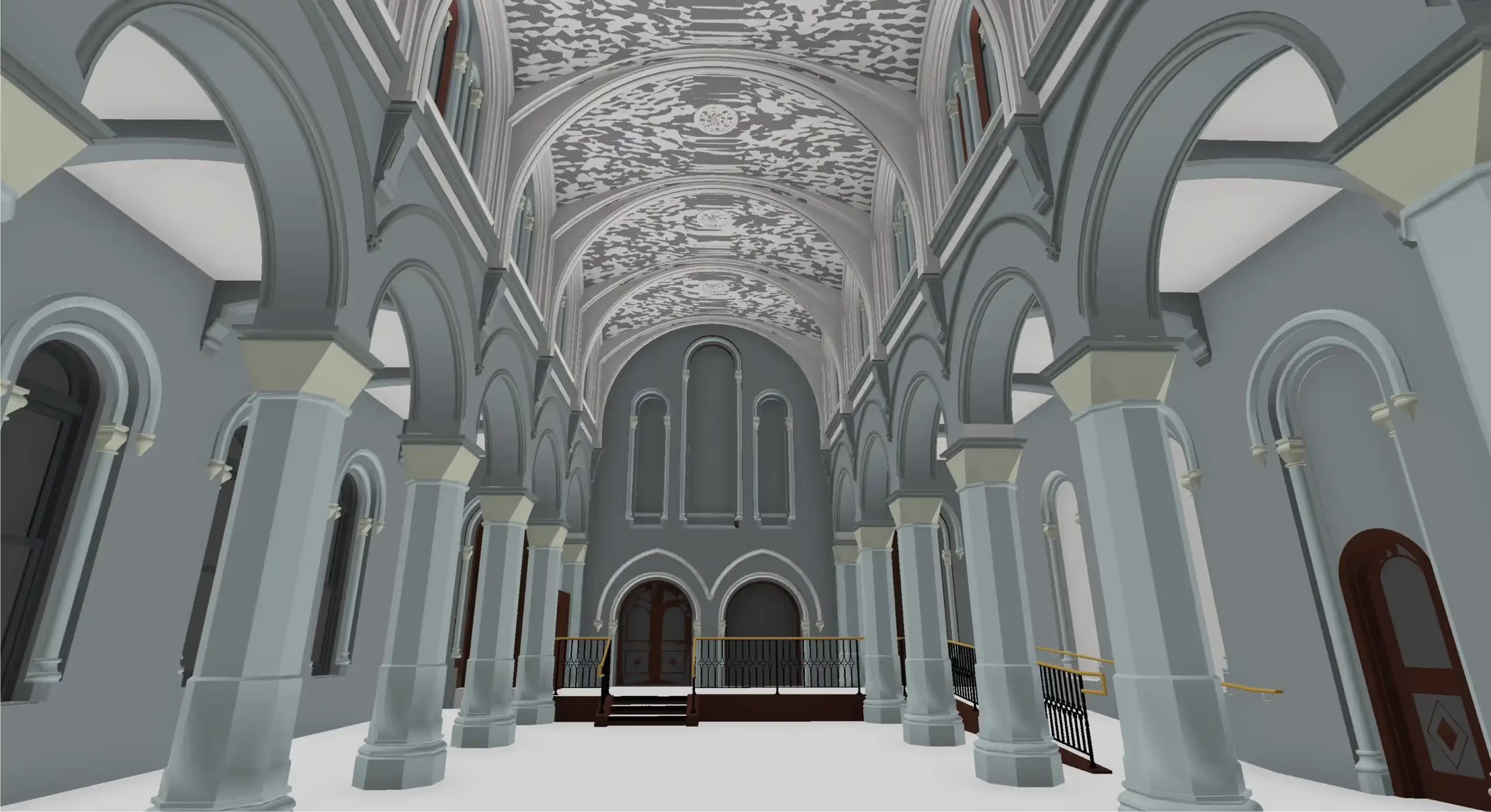
Revizto's Help Center says the VR viewer lets you walk through the actual model geometry. When the model is updated, the VR model reflects the changes. Polygons, object metadata, geometry, redlines, and issue conversations are kept in VR.
How does a two-person VR review work?
In the setup webinar, Enrico Ferraro demonstrates a review with one person in the headset and one at the computer.
- The person at the computer runs the Revizto viewer, chooses the project, and loads the models.
- The headset wearer walks to the area under review.
- The wearer presses the Y button on the left controller to open the menu. This gives the person at the computer control of the menu with the mouse.
- The wearer looks at the place where the issue belongs.
- The person at the computer chooses a stamp, such as an architectural issue, clicks to place it, and creates the issue. They add the details from the computer.
- The wearer presses Y again to close the menu and continues the review.
How should you prepare the model?
Most reviews don't need every room on every floor. The Help Center recommends this workflow if your hardware isn't running smoothly:
- In Revizto, isolate or section box just the area you want to walk through.
- Save the section box as a new viewpoint. Repeat for as many areas as you need.
- Open the Revizto Oculus Viewer or Vive Viewer, launch the project, and open the viewpoint you want to walk through. You can switch between viewpoints.
This lets your computer focus on the part of the model you're reviewing. Check the system requirements in How to set up VR for Revizto.
See a VR design review on your own project
Drawings and screens don’t always give the people who will use a space what they need to comment on it. In a VR review, reviewers walk the model while a colleague at the computer logs what they find as issues. The Revizto team can walk you through how a review would work on your own project. Book a demo to see a VR design review in Revizto.